
Food videos are excellent at making dinner look possible. A few seconds of sizzling sauce or a perfectly folded dumpling is enough to make you save the post for later. The trouble begins when “later” arrives and the recipe is buried under hundreds of other saved videos.
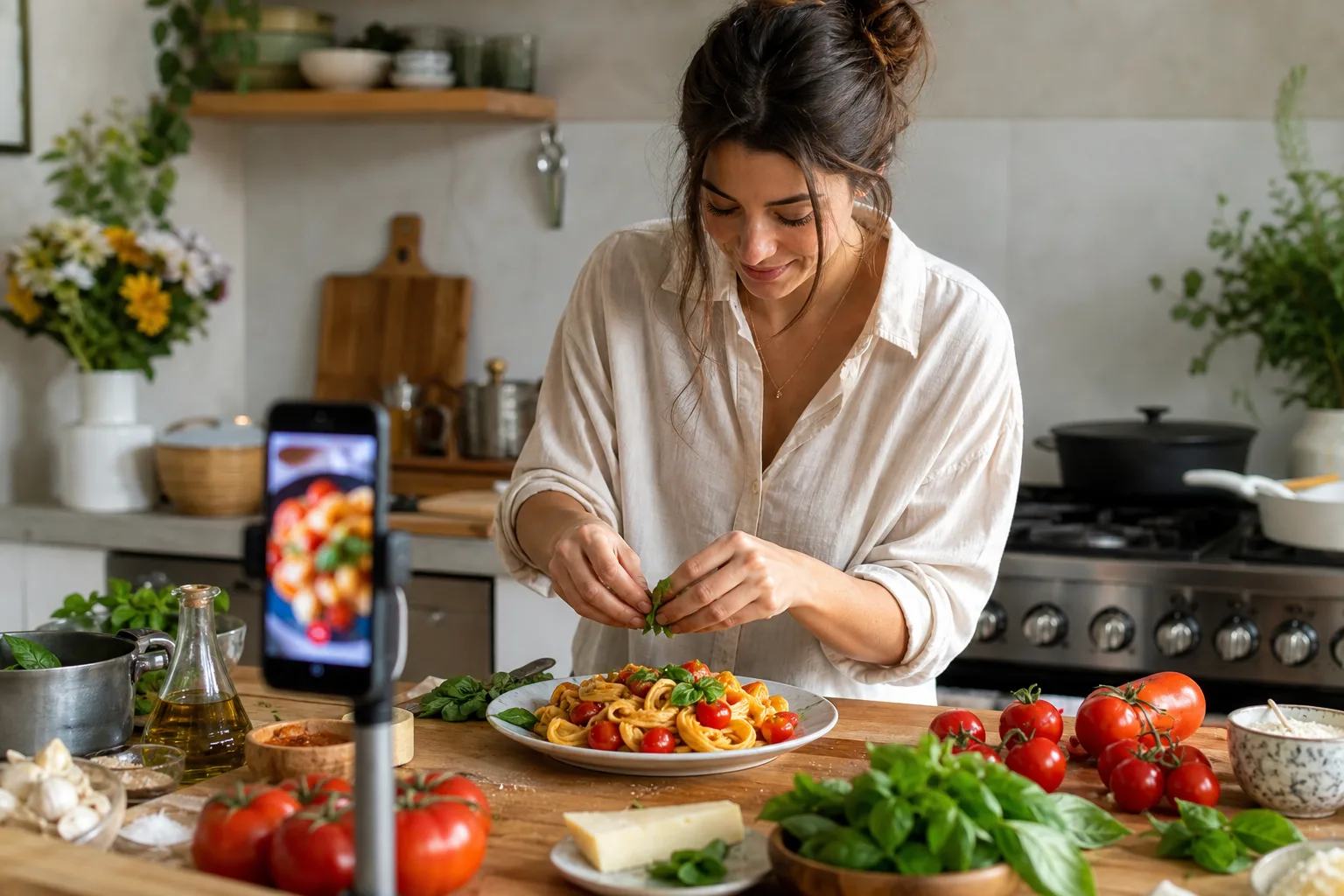
CookClip gives that saved idea a second home: a recipe with a title, editable ingredients, instructions, servings, timing, notes, and a link back to the source when available.
The chaos of modern recipe saving is loud
The old method of saving recipes is a collection of almost-finished decisions. The idea feels safely stored, but the useful details remain scattered across apps and formats:
- Instagram Reels sit inside a Saved collection with everything else you bookmarked.
- TikTok videos live in a favorites tab that is built for browsing, not cooking.
- Recipe websites keep the instructions behind long introductions, ads, and pop-ups.
- Random screenshots clutter the camera roll and are hard to search later.
- Notes and copied links lose the original context that helps you verify the dish.
When it is time to cook, these formats make you switch apps, scrub through a video with messy hands, and guess which version of a recipe you meant to save. That is the gap CookClip is designed to close.
CookClip acts as a centralized utility
CookClip pulls recipe inspiration into a dedicated cookbook. Share a supported public source or paste its link, then review the draft that CookClip creates from the recipe details it can access. You are not replacing the creator’s video; you are making the useful information easier to keep and use.
The result is an editable recipe instead of a bookmark. You can clean up the title, adjust ingredients, add your own notes, save the original source, and place the recipe alongside the rest of your collection. When a technique is easier to understand visually, open the source again without making the video your only set of instructions.
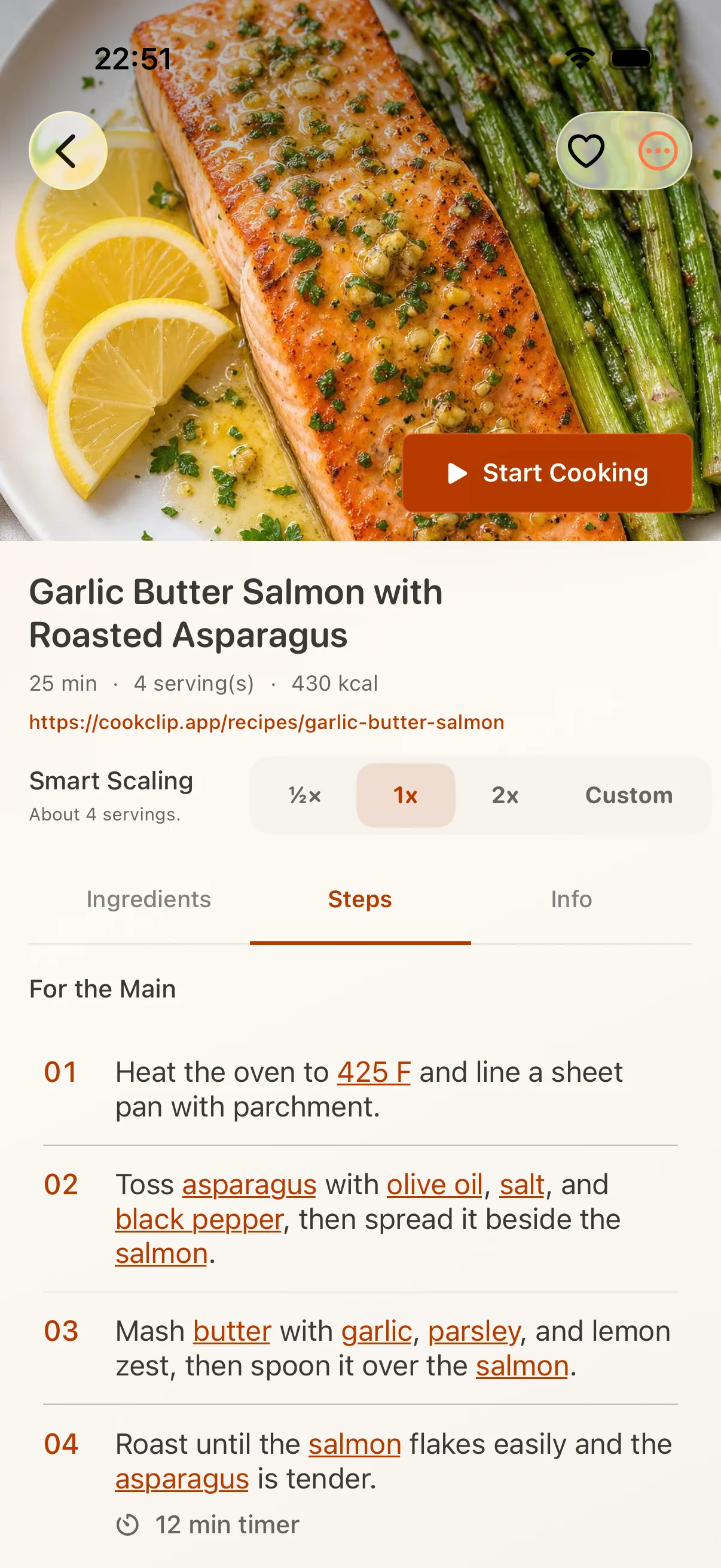
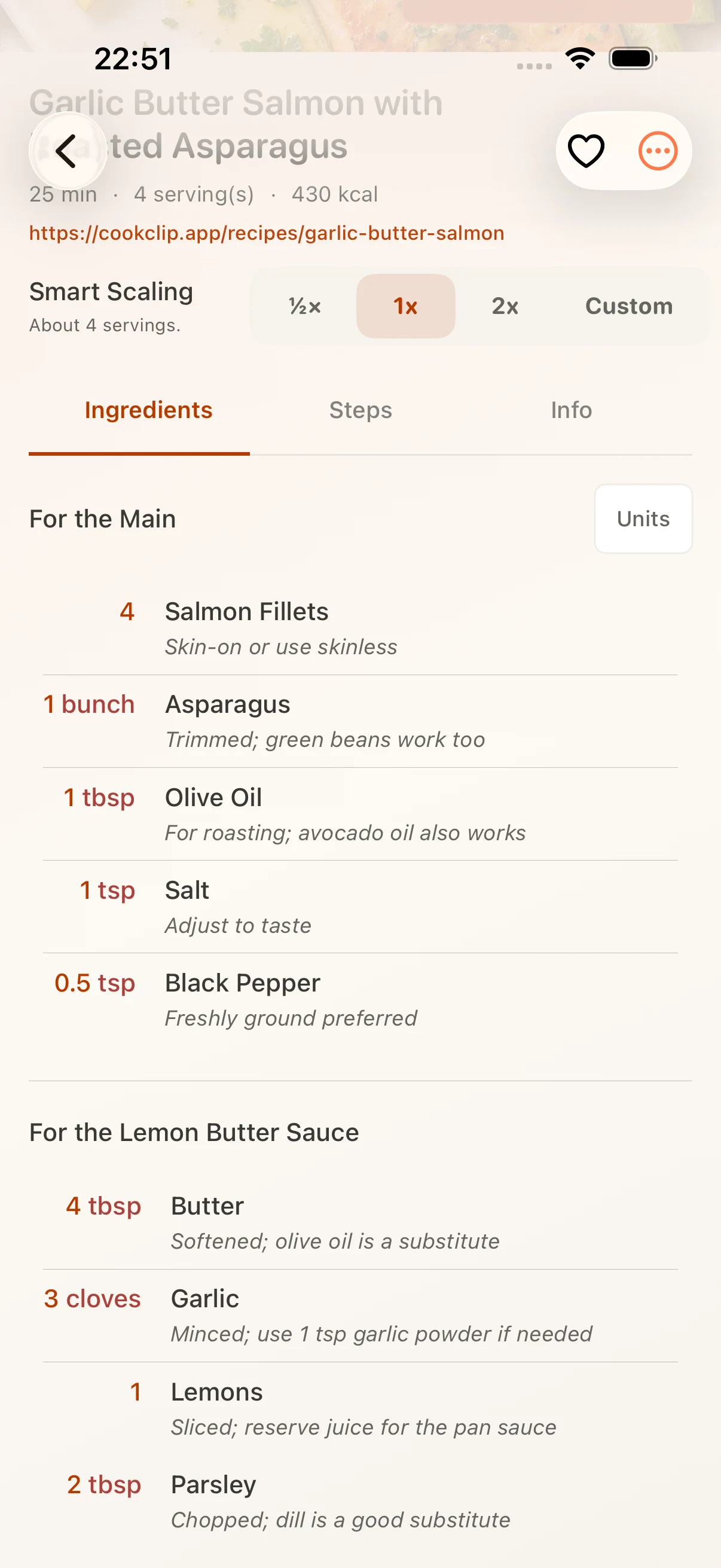
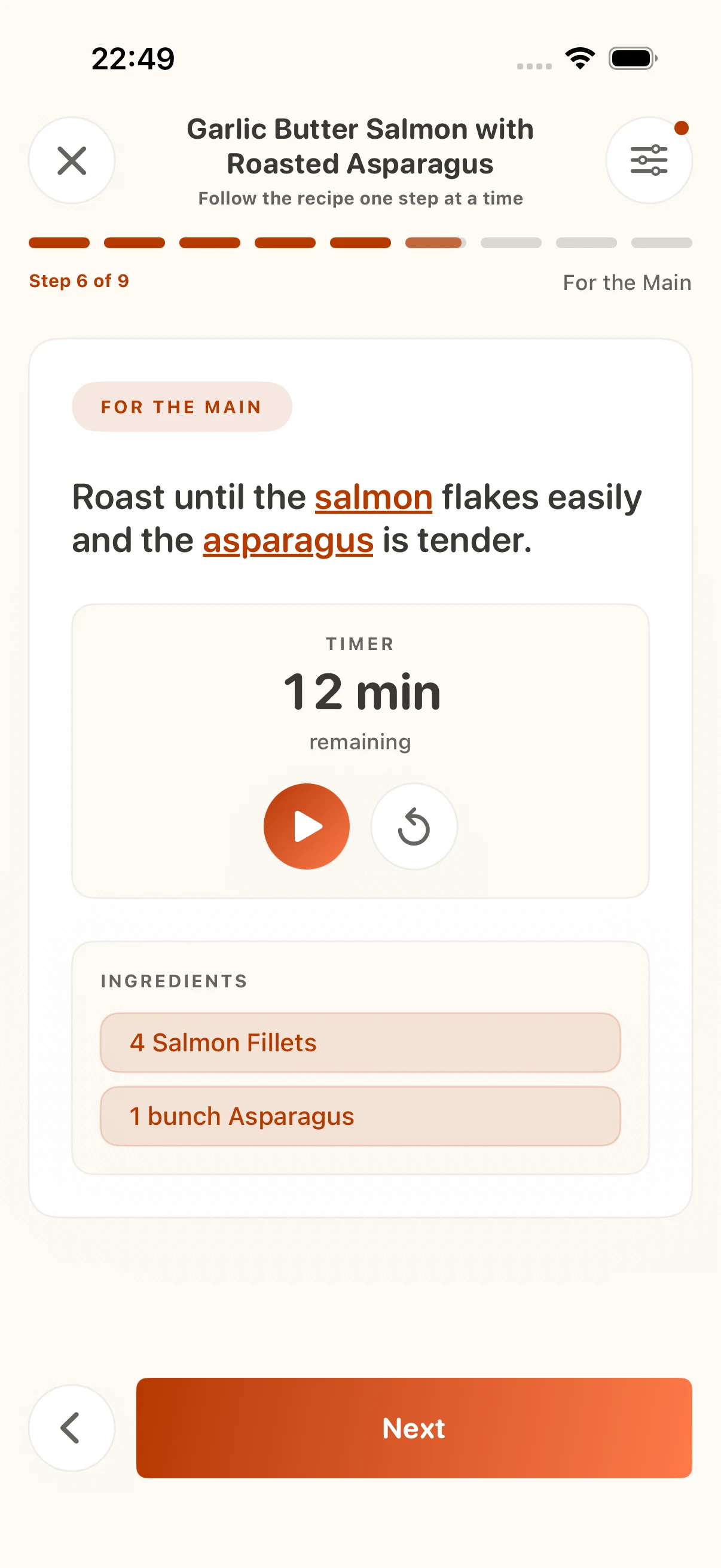
Save recipes from Instagram and other apps
Turning a food video into a digital cookbook takes a few simple steps:
- Download CookClip. Get CookClip from the App Store on your iPhone or iPad.
- Copy or share the source. Open the Instagram Reel, post, TikTok, YouTube video, or recipe page and use its Share menu or Copy Link action.
- Import it into CookClip. Paste the link, or share it to CookClip when the source exposes a supported share action.
- Review the draft. Check the caption, on-screen text, creator link, measurements, temperature, timing, and servings before saving.
- Give it a next action. Add the recipe to a collection, plan it for a meal, or use the reviewed ingredients for a grocery list.
Links are only one starting point. When the recipe lives in a screenshot, cookbook page, or handwritten card, CookClip can also help you bring that source into the same cookbook. The important part is the review: do not silently fill in missing quantities or safety information.
CookClip is a practical utility for anyone who loves to cook
A recipe organizer is most useful after the import. Once your saved ideas are structured, the same recipe can support the rest of the cooking workflow:
| Feature | What it does | Why it helps |
|---|---|---|
| Smart Import | Creates an editable draft from supported links, photos, screenshots, or text. | Gets the recipe out of a feed and into a format you can check. |
| Recipe Library | Keeps saved recipes, notes, sources, and collections together. | Makes the keeper version easier to find next week. |
| Meal Planner | Places recipes into a plan for the days ahead. | Turns inspiration into a concrete dinner decision. |
| Grocery List | Collects ingredients from the recipes you plan to make. | Connects the saved idea to the shop and the kitchen. |
Use the video for technique, and the recipe for the rest
CookClip is not a reason to stop watching the creator. A video is still the best place to see how thick a sauce should look, how dough folds, or how a dish comes together. The difference is that you no longer have to remember every quantity while scrubbing backward through the clip.
Keep the source link when it is available, preserve creator attribution, and treat an imported recipe as a draft until you have checked the details that matter. This makes the final recipe more trustworthy and the cooking experience much calmer.
Common questions
Can CookClip turn Instagram Reels into recipes?
CookClip can create editable drafts from supported public Instagram sources when enough recipe detail is available. Share the source or paste its link, then review the recipe before saving.
What if the Instagram recipe is incomplete?
Review the caption, on-screen text, creator link, and visible notes. Do not assume missing quantities or cooking temperatures; edit the draft or find a more complete source.
Can CookClip make a grocery list from the recipe?
Once the recipe is saved and reviewed, CookClip can help you use it for meal planning and grocery lists.
Turn your next saved video into something you can cook.
Start with CookClip on iPhone and give your recipe inspiration a place to land.
Get CookClip on the App Store