
Quick answer
Move the recipe out of Saved before it disappears into the scroll
Share an Instagram Reel or post to CookClip, or paste its link, then verify the editable recipe draft against the caption, on-screen text, and creator’s linked page. CookClip is free for up to 50 saved recipes and 5 AI imports. Pro is optional: subscribe for flexibility or, when shown in the app, buy Lifetime Pro once with no ongoing subscription.
Instagram Saved remembers the post, not the recipe
Saving a Reel is perfect when you want to revisit the video. It is less helpful when you need to know whether the sauce uses one teaspoon or one tablespoon, how long the dish bakes, or which of several folders contains the post. A visual feed is designed for discovery, not for keeping cooking instructions complete and searchable.
CookClip gives the recipe a second home: a clear title, editable ingredients and steps, servings, timing, your own notes, and the original Instagram source. You keep the creator’s demonstration while gaining a version that works when you are planning, shopping, or standing at the stove.
Share the Reel, then check every important detail
Open Instagram’s Share menu and send the public source to CookClip, or copy and paste its link. Smart Import creates a recipe draft from the detail that is available. If the creator links to a full recipe page, that page may provide more reliable measurements and timing than the Reel alone.
Treat the draft as a fast first pass. Expand the full caption, check ingredient overlays, and look at any pinned clarification before saving. Correct the recipe while you still remember what made the video useful.
- Rename the recipe for the dish, not the Reel’s hook.
- Keep the Instagram URL and creator name with the recipe.
- Save visual cues such as texture or browning as short notes.
Inside the app
See the workflow in CookClip
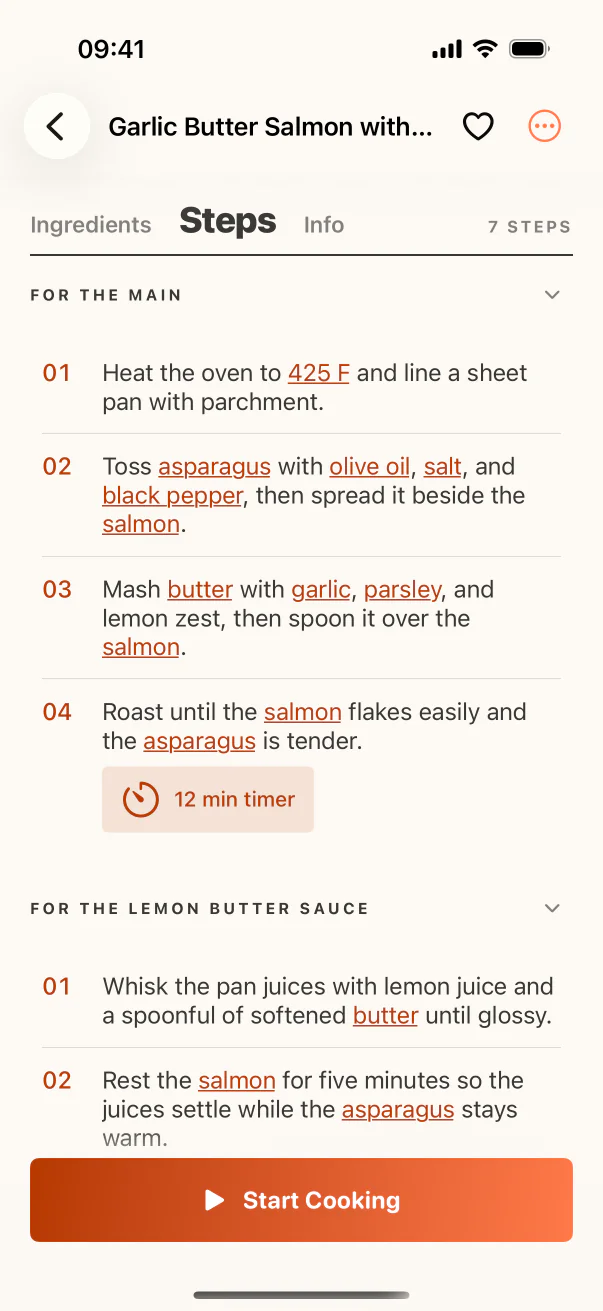
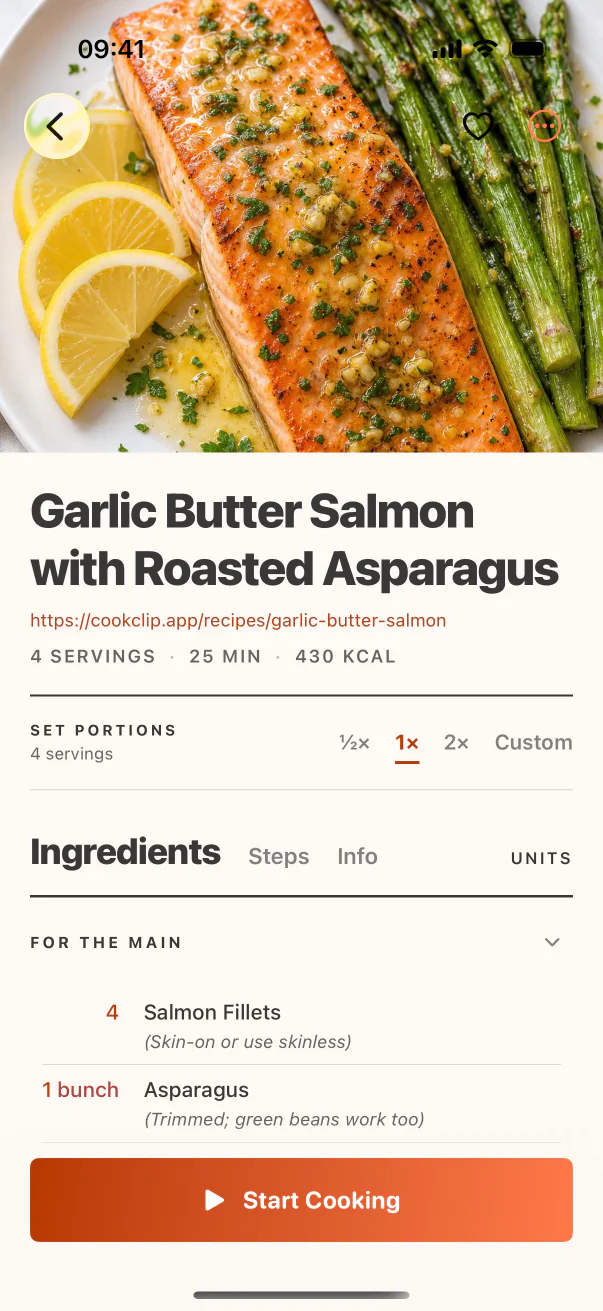
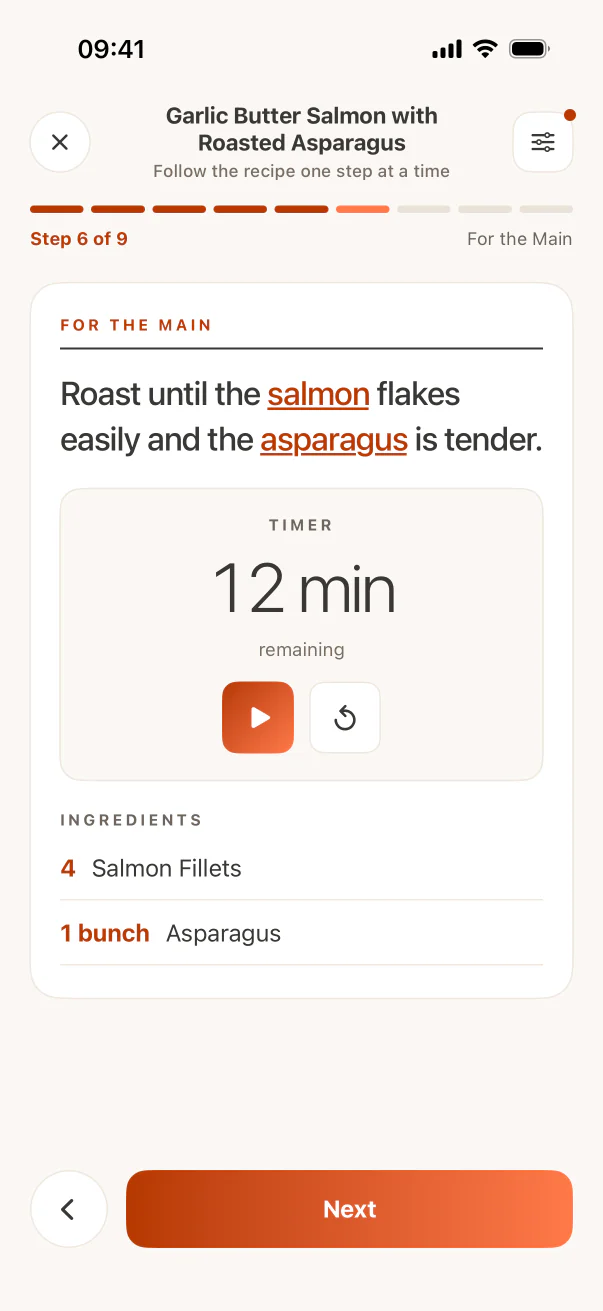
These are real CookClip screens. Swipe across on mobile, or compare all three on a larger screen.
Choose Lifetime Pro if you would rather buy once
CookClip does not require an immediate subscription. The free plan is large enough to test a real workflow with up to 50 recipes and 5 AI imports, so you can find out whether imported Instagram recipes are easier to cook from before paying.
If you later want unlimited recipe saves and AI imports, AI recipe ideas, online discovery, AI-generated meal plans, advanced grocery organization, custom scaling, and expanded recipe tools, Pro can be offered in more than one way. Choose a recurring plan if that suits you, or buy Lifetime Pro once when the lifetime option is available in the app. The one-time purchase has no ongoing subscription; the purchase screen shows current availability and local pricing before checkout.
Give every keeper recipe a next action
Move recipes you genuinely intend to make into a small Cook Soon collection instead of importing your entire Saved history. Put one recipe into the weekly meal plan, confirm the servings, and let the final ingredient list feed the grocery list.
At cooking time, follow the structured steps in Cook Mode. Open the Reel only for a technique that benefits from video, such as folding dough, judging sauce consistency, or seeing how a shape should look. The post remains valuable context without becoming your only set of instructions.
Private posts and incomplete Reels still need judgment
A private account, login requirement, expired post, or caption with no measurements may prevent any importer from seeing enough detail. Use pasted text or screenshots only for content you can legitimately access, keep the source context, and review the result carefully.
Do not invent missing safety temperatures, baking quantities, or preservation instructions. Search for the creator’s written recipe or choose a complete alternative when the omitted information could change whether the dish works or is safe to serve.
Practical checklist
From saved Reel to recipe you can cook
- Share the public Instagram post or paste its link into CookClip.
- Check the caption, overlays, creator link, and pinned clarification.
- Verify quantities, temperature, time, servings, and step order.
- Keep the creator attribution and original Instagram source.
- Schedule the recipe or add it to a deliberately small Cook Soon list.
FAQ
Common questions
Can CookClip save recipes from Instagram Reels?
CookClip can create editable drafts from supported public Instagram sources when enough recipe detail is available. Share the source or paste its link, then review the recipe before saving.
What if the Instagram recipe is private?
CookClip cannot bypass account privacy or login restrictions. For content you can access, use visible text or clear screenshots and keep enough source context to verify the recipe.
Do I need a subscription for Instagram recipe imports?
No. CookClip Free includes up to 50 saved recipes and 5 AI imports. Upgrade only when you want higher limits and the additional Pro planning and grocery features.
Can I pay once for CookClip Pro?
Yes. When Lifetime Pro is available in the app, you can buy it once instead of starting a recurring subscription. Current availability and local pricing are shown before purchase.
Try the workflow
Turn saved Reels into recipes—without another required subscription
Start with CookClip Free. If you want Pro later, choose a flexible subscription or buy Lifetime Pro once when that option is available in the app. Local pricing is shown before purchase.