 CookClip
Free
Build your first cookbook
- Save up to 50 recipes.
- Use 5 AI recipe imports.
- Organize with collections, tags, favorites, and sharing.
- Sign in for Cloud Backup across supported recipe data.
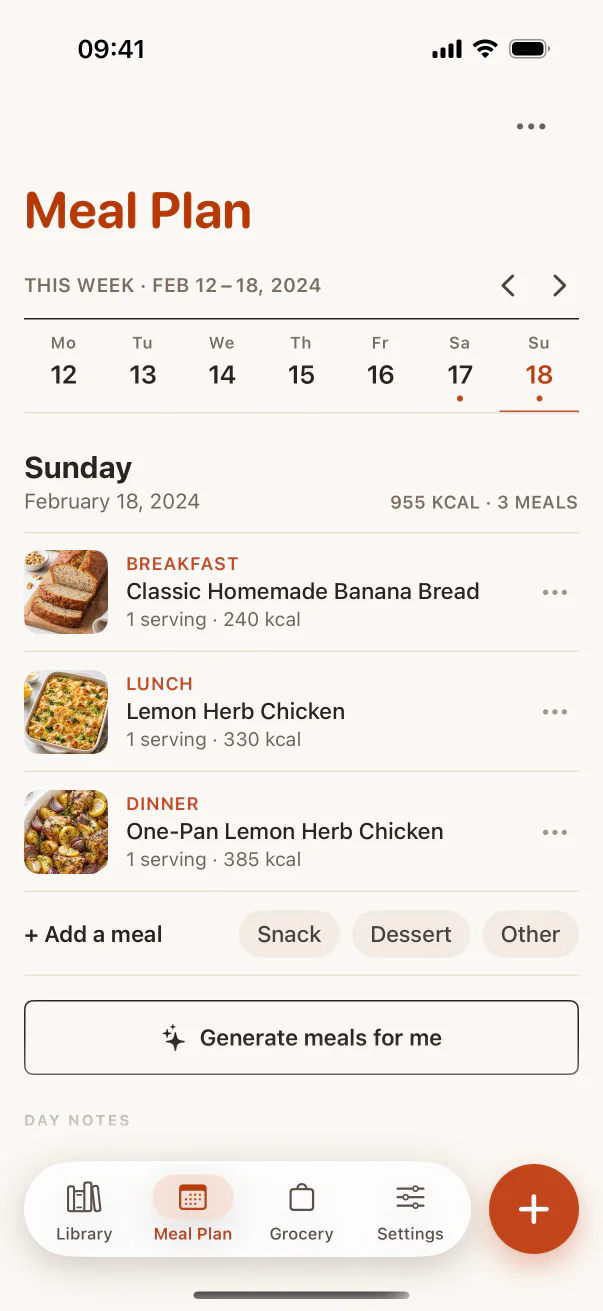
- Use Meal Plan Basic and Grocery Basic.
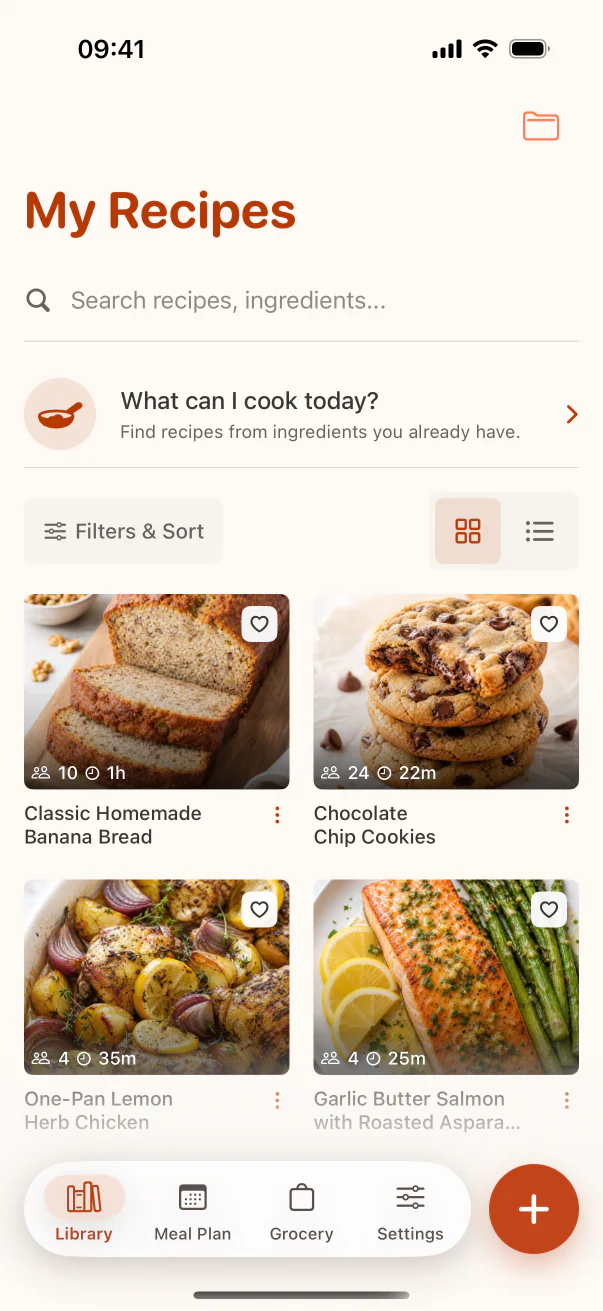
Starting with version 2.4.0, Free includes a real recipe library plus Meal Plan Basic and Grocery Basic. Upgrade when you want unlimited saves and imports, AI-generated recipe ideas, online discovery, AI-generated meal plans, advanced grocery organization, nutrition estimates, and custom scaling.
Build your first cookbook
Run the whole week
Free is for trying CookClip and building a useful starter library. Pro is for people who want CookClip to become their everyday recipe system.
| Capability | Free | Pro |
|---|---|---|
| Recipe library save limit | Up to 50 saved recipes | Unlimited |
| AI imports | 5 lifetime imports | Unlimited |
| What can I cook today | Find matching saved recipes from your library | Generate AI recipe ideas and discover online recipes from your ingredients |
| Grocery list from recipes | Grocery Basic included | Included, with advanced category and recipe-source organization |
| Meal planner | Meal Plan Basic included | Included, plus AI-generated plans and advanced planning |
| Collections | Included | Included |
| Tags and favorites | Included | Included |
| Custom serving scaling | Locked (preset 0.5, 1, 2) | Included |
| Recipe Sharing | Included | Included |
| Cloud Backup | Included when signed in and sync is enabled | Included when signed in and sync is enabled |
| Partner promo codes | Eligible codes can be redeemed in Settings | Active Pro users do not need promo redemption |
Yes. Collections, tags, favorites, search, and recipe sharing are available on the free plan.
Use Pro when the free cookbook is working and you want unlimited saves and imports, AI-generated recipe ideas, online discovery, AI-generated meal plans, advanced grocery organization, nutrition estimates, and custom scaling.
Yes. Choose a subscription for flexibility, or buy Lifetime Pro once when the lifetime option is available. The in-app purchase screen shows current availability and local pricing.
Imports work best when the recipe is visible. If a site blocks the recipe with cookies, a login, or collapsed content, open the page first, accept required cookies, confirm the recipe is visible, then try again.
Eligible free users can redeem partner promo codes in Settings. Active Pro subscribers do not need promo redemption.
Build your cookbook first. Pro is there when CookClip becomes your everyday recipe system.
CookClip by Omalira