Paste
Start with the clearest YouTube source
Paste a video, Short, description, pinned note, or creator recipe page. CookClip uses the available details to draft an editable recipe card.
YouTube recipe importer
YouTube is excellent for watching technique, but less convenient when you just need the ingredient list. CookClip helps you save YouTube recipes from videos, Shorts, descriptions, and creator links by copying a URL or sharing directly, then reviewing the link before creating a recipe.
Manual recipes work without an account · Smart Import requires sign-in

Quick method
Use CookClip when you want to keep the recipe without replaying the video every time you cook. Paste the YouTube link or share it directly, review the detected URL, and save the clean recipe to your iOS cookbook.
Paste
Paste a video, Short, description, pinned note, or creator recipe page. CookClip uses the available details to draft an editable recipe card.
Share
Share the YouTube link or creator page to CookClip, then review ingredients, steps, timing, and the original source before saving.
YouTube descriptions vary by creator. CookClip works best when the video, description, transcript, linked page, or pasted notes include clear recipe information.
Complete guide
A video is helpful for seeing texture, color, and technique. A recipe card is better for checking measurements, timers, oven temperatures, and shopping lists. CookClip helps you keep both: the original YouTube link and a clean recipe draft.
CookClip does not ask you to trust an unclear result. Review ingredients, steps, timings, and servings before saving the recipe to your library.
Get CookClip from the App Store, then import the YouTube link, creator recipe page, description, caption, or pasted ingredients.
CookClip helps separate recipe details into ingredients, steps, prep time, cook time, servings, and notes.
Add missing details, adjust quantities, write your own notes, or keep the original link for reference.
Keep the cleaned-up recipe with the original YouTube source attached for technique or context.
YouTube recipe formats
YouTube recipes can live in the video description, a pinned comment, a linked blog, a Short caption, or notes you copied while watching. CookClip keeps the recipe-saving path flexible.
Paste the video link and review the recipe details available from the description, notes, or linked page.
Save quick cooking ideas from Shorts when the caption, creator link, or pasted notes include enough recipe detail.
Paste long creator descriptions into CookClip so ingredients and steps are easier to scan later.
If a creator links to a full recipe page, save that page for cleaner ingredients, steps, and notes.
FAQ
Yes. Paste or share a YouTube recipe link into CookClip, review the detected URL, and the app helps structure the available description, notes, or linked recipe details into an editable recipe.
Yes, when enough recipe information is available from the Short, caption, linked page, or pasted notes. Review the draft before saving.
Use the linked recipe page when possible. A full recipe page usually gives CookClip cleaner ingredients and steps than a short video description.
Yes. Starting with CookClip 2.4.0, open the saved recipe and choose the ingredients you need for Grocery Basic. You can also add the recipe to Meal Plan Basic first. Pro adds AI-generated meal plans and advanced grocery organization.
From video to cookbook
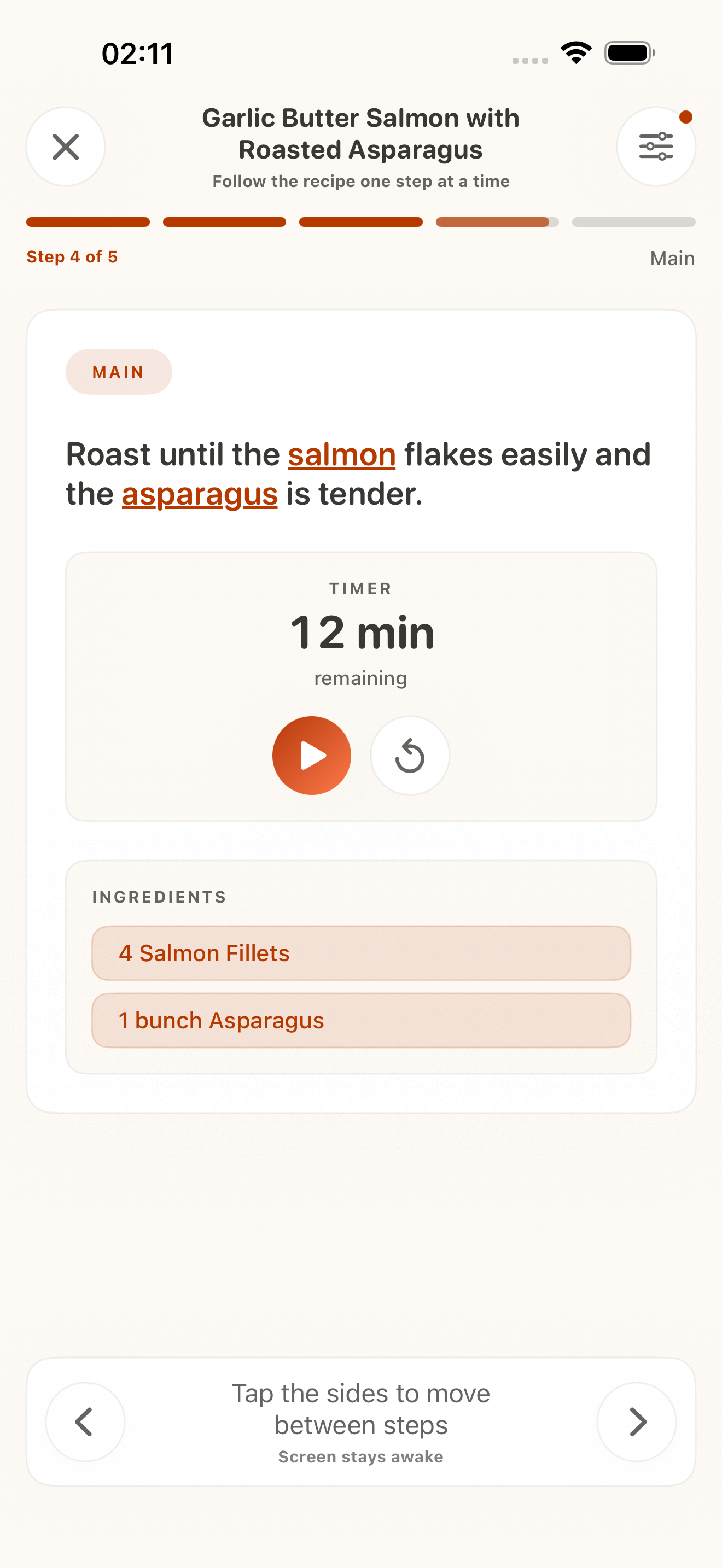
Import the video, review organized ingredients, and follow clear steps when it is time to cook.


Next step
Save the YouTube source, review the draft, and keep the finished recipe where you can find it again.