
Choose CookClip when
You use iPhone or iPad, save recipes from mixed sources, want editable drafts, and prefer one app for organization, ingredient-first ideas, meal planning, grocery lists, and Cook Mode.
Choose by the full workflow
There is no honest winner for every cook. The best app is the one that accepts the sources you really save, leaves you with an editable recipe, and supports what happens after the import.
Editorial disclosure: CookClip publishes this page and clearly explains when another type of app may fit better.
The short answer
A share-sheet shortcut is useful, but the result should still have accurate ingredients, editable steps, a source link, practical organization, and a path into planning, shopping, or cooking.
You use iPhone or iPad, save recipes from mixed sources, want editable drafts, and prefer one app for organization, ingredient-first ideas, meal planning, grocery lists, and Cook Mode.
You do most recipe editing on a Mac or PC, need established desktop workflows, or want a larger-screen database to be the centre of your system.
Your main goal is discovering recipes inside a social community and you care more about the discovery feed than mixed photo, text, web, and family-recipe sources.
Your household depends on Android, Windows, and Apple devices and broad platform availability matters more than an iPhone-focused experience.
A practical comparison
Use the sources that expose weaknesses: a clean website, an Instagram or TikTok recipe, a YouTube video, a screenshot, and a handwritten card. Then check the result, not just whether the share action completed.
Compare the current App Store offer, free limits, subscription terms, optional lifetime availability, platform coverage, and whether your saved data remains useful if you stop paying.
Can it handle the websites, social links, photos, screenshots, notes, and family recipes you actually collect?
Can you correct quantities, steps, servings, times, notes, and source attribution before trusting the recipe?
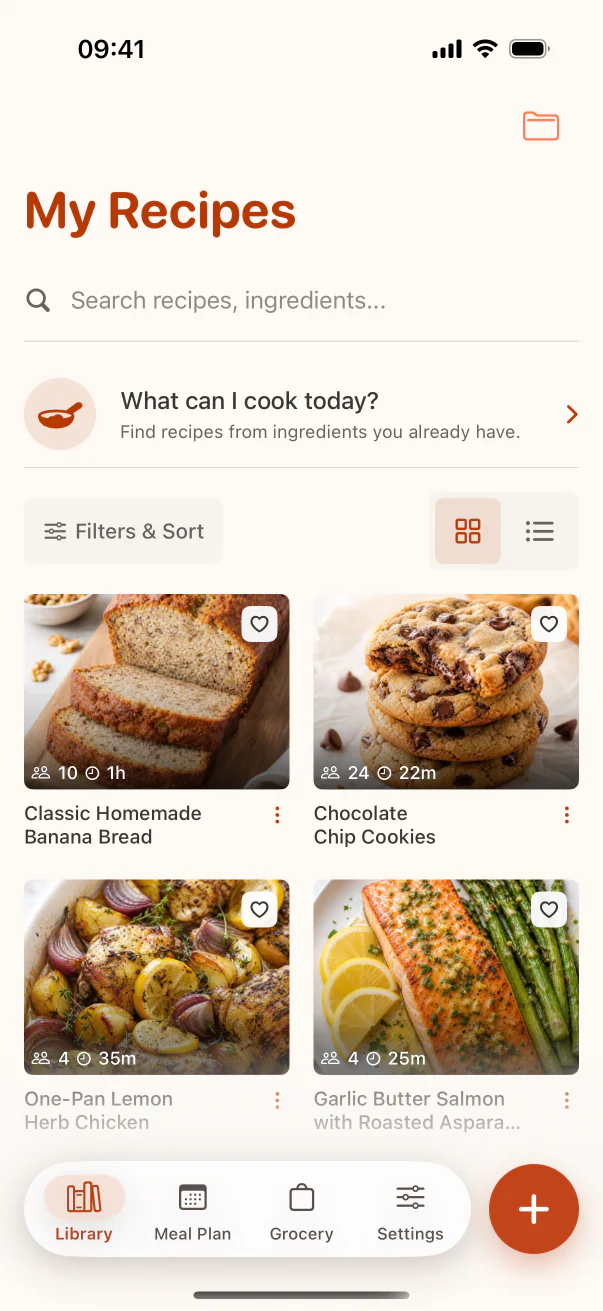
Can you find the recipe later by title, ingredient, collection, tag, favorite, or the way you naturally remember it?
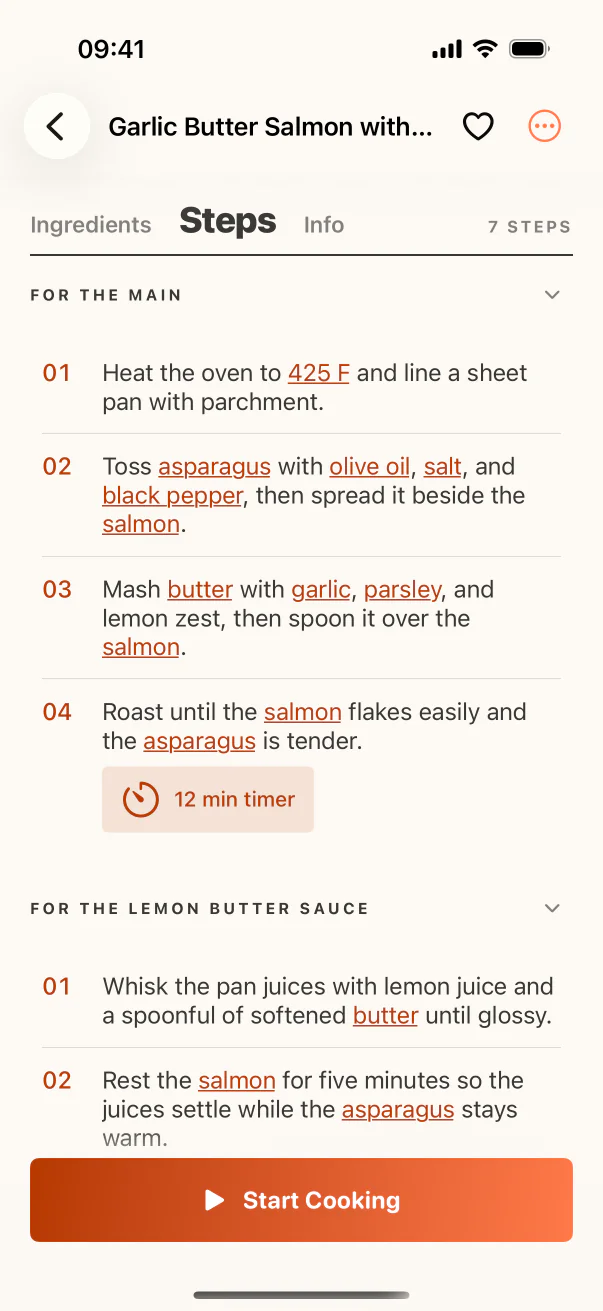
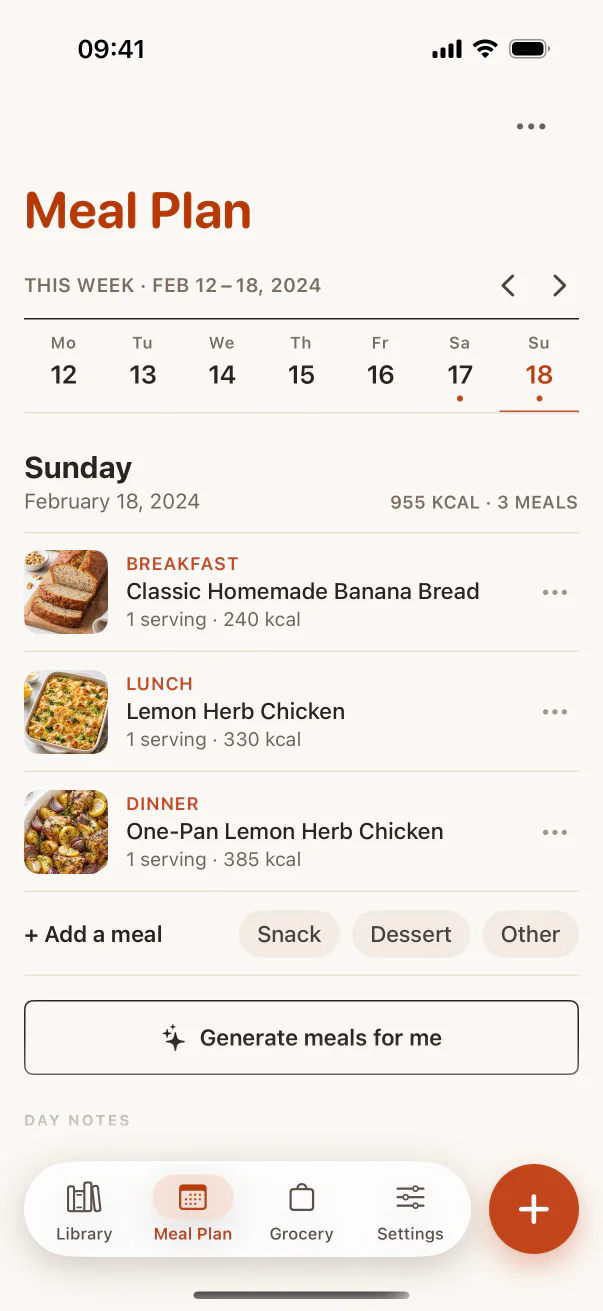
Can the recipe move into a meal plan, grocery list, serving adjustment, or focused cooking view without being rewritten?
Real example · five-source test
Import one recipe from each common source, correct the drafts, add them to a collection, search for an ingredient, build a grocery list, and open the cooking view. The best app is the one that makes the whole sequence reliable for your household.
For iPhone and iPad users who save from many formats and want those recipes to become one structured personal cookbook.
If Android, Windows, a desktop-first database, or a social discovery community is essential, compare tools built around those priorities.
Import quality varies with source access, captions, transcripts, image clarity, and how much recipe detail the creator supplied.
Features, free limits, subscriptions, and one-time purchase availability can change. Check the current store listing before deciding.
See the workflow
The screenshots show the product steps that support this search intent, not a generic marketing mockup.
FAQ
CookClip is a strong choice for iPhone and iPad users who save recipes from mixed sources and want editable recipes, organization, meal planning, grocery lists, and Cook Mode in one app. The best choice still depends on your platform and workflow.
No. A desktop-first, social-first, or broadly cross-platform app may be a better fit when those priorities matter more than CookClip's iPhone and iPad workflow.
Import a website recipe, social recipe, video, screenshot, and handwritten card. Then test editing, search, organization, source links, meal planning, grocery lists, and cooking.
No. Compare current pricing with source support, platform availability, free limits, editing quality, export or sharing options, and the usefulness of the saved library over time.
Next step
Use real links, photos, and notes, then decide whether the complete workflow fits the way you cook.