
Library: everything worth keeping
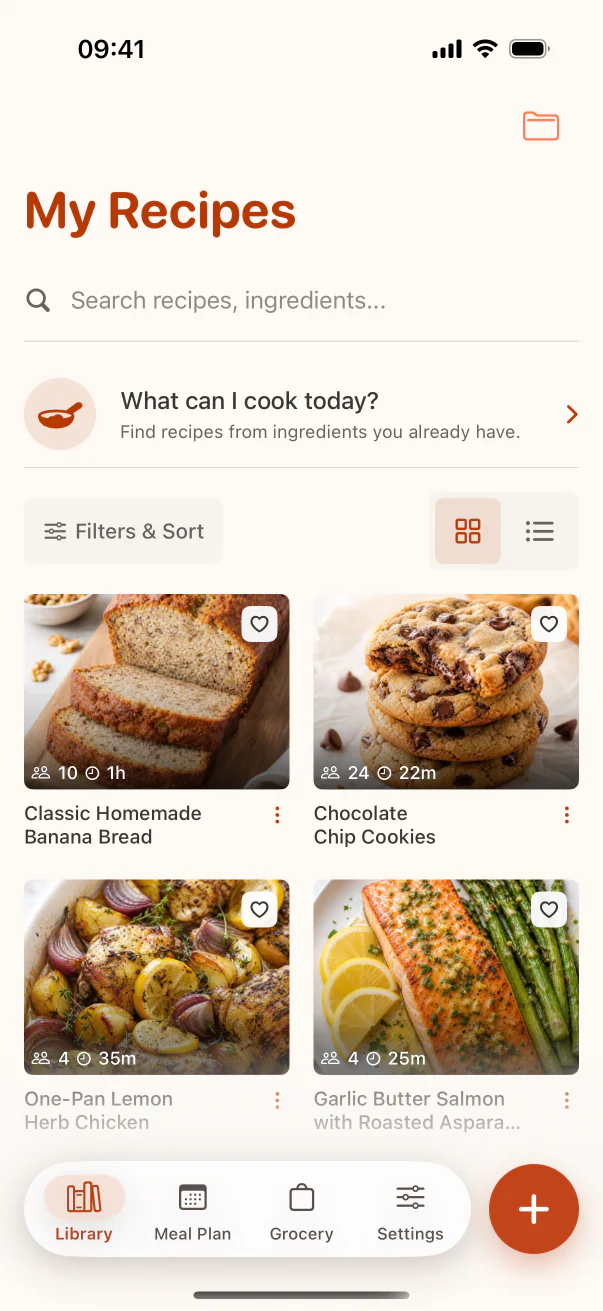
Use one searchable home for saved recipes. A recipe should not disappear because you forgot which app, note, or social platform held it.
A recipe system you can maintain
The goal is not to sort every recipe perfectly. It is to make tonight's dinner, a family favourite, or that saved Reel easy to find when you need it.
Collections, tags, favorites, search, and recipe sharing are available on Free.
The simple model
A recipe can belong to Baking, be tagged quick, and still be a family favorite. Let each organizing tool answer a different question instead of building dozens of overlapping folders.
Use one searchable home for saved recipes. A recipe should not disappear because you forgot which app, note, or social platform held it.
Create a small number of stable groups such as Weeknight Dinners, Baking, Guests, Family Recipes, or Meal Prep.
Use tags for flexible details such as quick, spicy, vegetarian, budget, air fryer, freezer-friendly, or under 30 minutes.
Favorite recipes after they work in your kitchen. This keeps proven meals separate from ideas you have not cooked yet.
Build the habit
Do not postpone a giant cleanup. Give a new recipe a clear title and one useful collection when you save it. Add deeper tags or notes after you cook it and learn what matters.
You do not need a folder for chicken, tomato, or rice when ingredient search can find those recipes across every collection.
Save recipes you plan to cook, want to preserve, or need for a specific project. A smaller useful library beats a larger forgotten archive.
Replace “you need to try this” with the actual dish name, then keep the original creator link for attribution and technique.
After cooking, note substitutions, timing changes, preferred pan size, and whether the recipe deserves a favorite.
Merge duplicates, remove empty categories, and archive recipes that repeatedly lose to better options.
Real example · the saved chicken recipe
Save “One-Pan Lemon Chicken,” place it in Weeknight Dinners, tag it quick and high-protein, keep the original source, then favorite it only after the timing works in your oven.
Use the dish name, not the social caption or an imported filename.
Choose the collection where you would naturally look for it later.
Add practical notes and a favorite only when the recipe has earned them.
See the workflow
The screenshots show the product steps that support this search intent, not a generic marketing mockup.
FAQ
Keep recipes in one searchable library, use a few broad collections, add tags for overlapping qualities, and reserve favorites for recipes you trust.
Usually not as folders. Ingredient search is better for chicken, tomato, rice, or other details that appear across many kinds of recipes.
Start with three to six collections that match how you actually browse, such as Weeknight Dinners, Baking, Family Recipes, Meal Prep, or Guests.
Yes. You can create recipes manually and use collections, tags, favorites, search, and sharing without relying on Smart Import.
Next step
Start with the recipes you cook, organize them lightly, and improve the system through real use.