
Reel with a detailed caption
Share the Reel link when the caption contains quantities and steps. Review any details shown only on-screen.
Instagram recipe saver
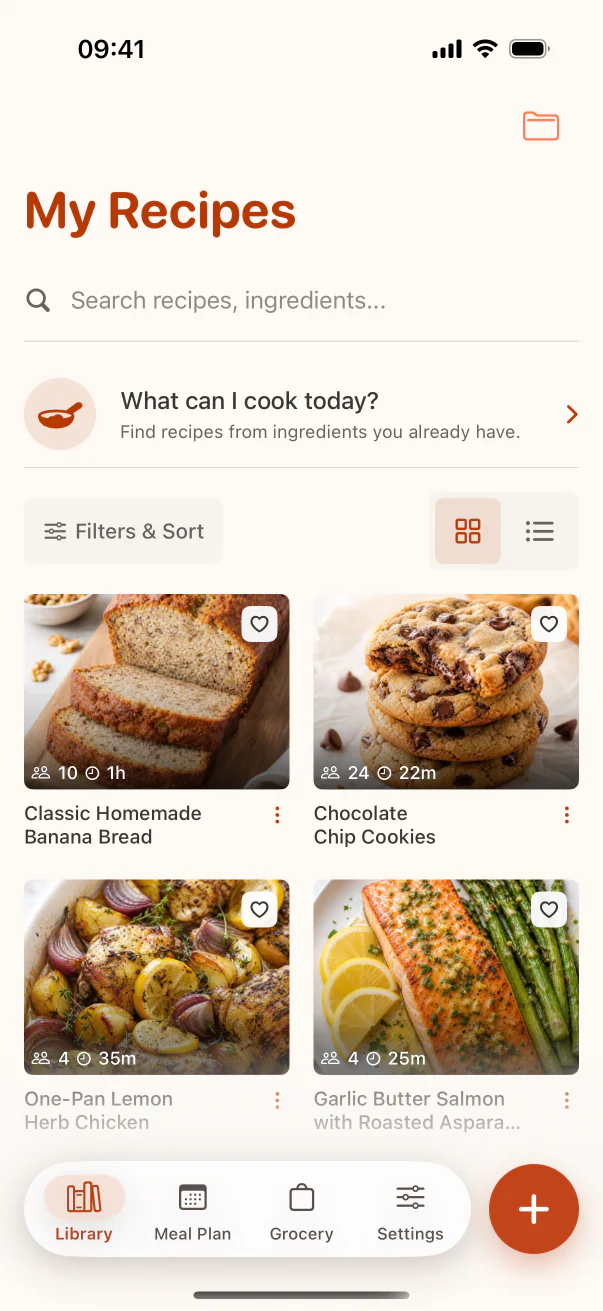
CookClip gives Instagram recipes a life beyond the Saved tab. Share a Reel or post, paste its link or caption, review the result, and file the recipe where future-you will look.
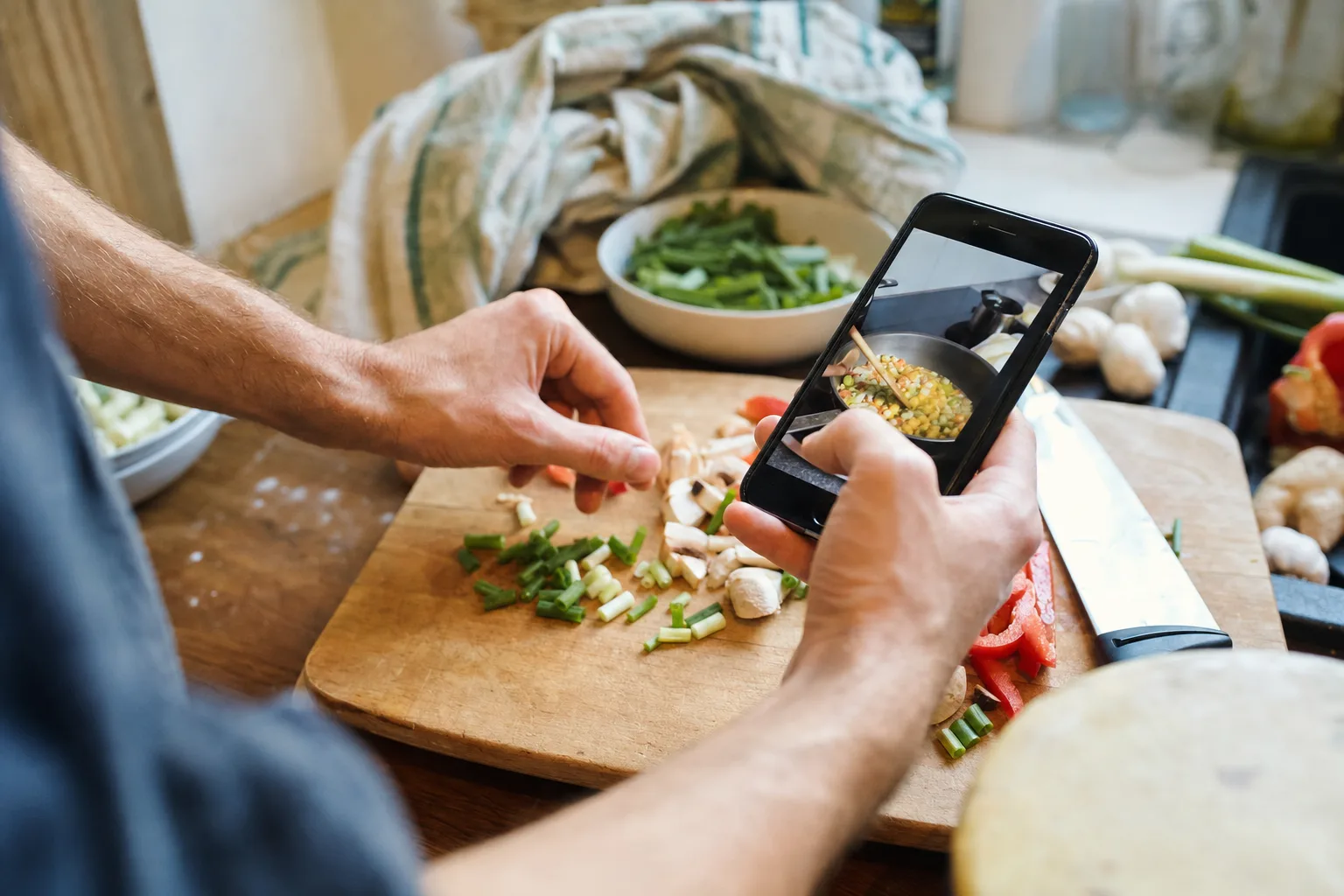
Reels · Posts · Captions · Creator recipe pages
Source matters
An Instagram post can point to several sources. Choose the one with the clearest ingredients and instructions instead of assuming the Reel alone contains everything.
Share the Reel link when the caption contains quantities and steps. Review any details shown only on-screen.
Prefer the creator's full recipe page when it includes a tested ingredient list, timing, servings, and method.
Use Scan when the recipe is written across images. A straight, well-lit image improves text recognition.
Paste the text directly when Instagram blocks access or you only need the written recipe details.
Real example
You have a cinnamon-roll Reel, a brownie carousel, and a creator's banana-bread blog link saved in three different places. Import the richest source for each, correct the pan sizes and temperatures, tag them Baking, and add the keepers to one collection. Saturday's decision becomes a search, not a scroll.
Keep the original Instagram or recipe-page link when possible. CookClip makes the recipe practical to use; the creator remains the source of the idea.
Use Instagram's share controls, copy the post link, or open the creator's recipe link in Safari.
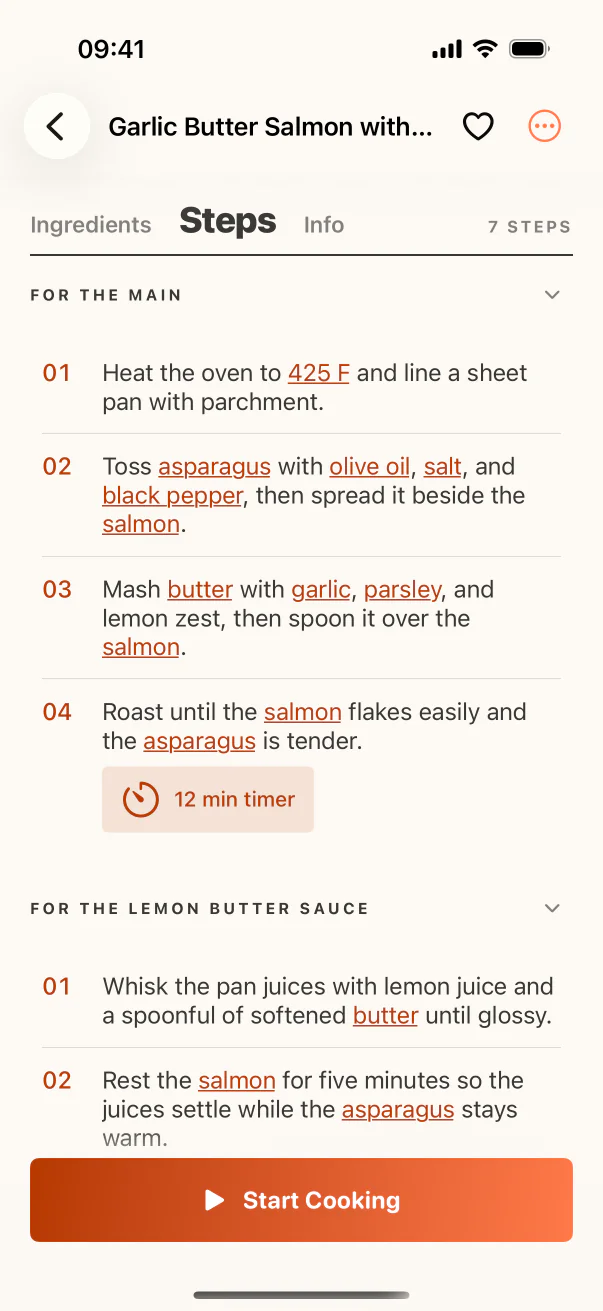
Smart Import organizes the available details into ingredients, steps, timing, and servings.
Check measurements shown in overlays, carousel slides, or the caption before saving.
Add the recipe to a collection, use a tag, favorite it, or plan it for a specific day.
Beyond the Saved tab
A social bookmark remembers the post. CookClip remembers how you want to cook it.
FAQ
Yes, when the shared Reel, caption, transcript, or linked page exposes enough recipe information to form a useful draft.
Private, deleted, login-gated, or otherwise unavailable posts may not be readable. Paste the recipe text or use the creator's accessible recipe page instead.
When a source URL is available, keep it with the recipe so you can return to the original creator and post.
Scan clear screenshots or paste the text, then compare the draft with every slide. Correct units or lines that OCR did not read cleanly.
A better saved folder
Bring the useful details into CookClip, keep the source, and organize the recipe around your real plans.