
Quick answer
Share the video, check the recipe, then give it a place in your week
Share a TikTok recipe to CookClip or paste its link, review the editable ingredients and steps, and keep the original source attached. You can start free with up to 50 saved recipes and 5 AI imports. If you want Pro, choose a subscription for flexibility or, when the option is shown in the app, buy Lifetime Pro once instead of taking on another recurring subscription.
TikTok saves are a discovery feed, not a cookbook
A saved TikTok can remind you that a dish looked good, but it does not make the recipe easy to cook. The ingredient list may be buried in a caption, measurements can flash on screen, and the method may be split across voice-over, comments, and a creator’s linked website. Finding the video again is only the first step.
The useful version is a recipe card with a clear title, editable ingredients, ordered steps, realistic timing, servings, and the original creator link. That is the difference between collecting inspiration and building a personal cookbook.
Share the TikTok to CookClip and review the draft
From TikTok, open Share, choose CookClip from the iOS share sheet, and let the source travel with the recipe. You can also copy the link and paste it into CookClip. Smart Import uses the recipe detail that is available to create a draft instead of leaving you with another bookmark.
Before saving, compare the draft with the video, caption, and any linked recipe page. Correct amounts, temperatures, timings, and step order while the source is still fresh in your mind. A one-minute review now is easier than scrubbing through the video with flour on your hands later.
- Replace a vague or clickbait caption with the actual dish name.
- Keep the creator and TikTok link for attribution and visual technique.
- Add an honest note when a quantity or timing was never provided.
Inside the app
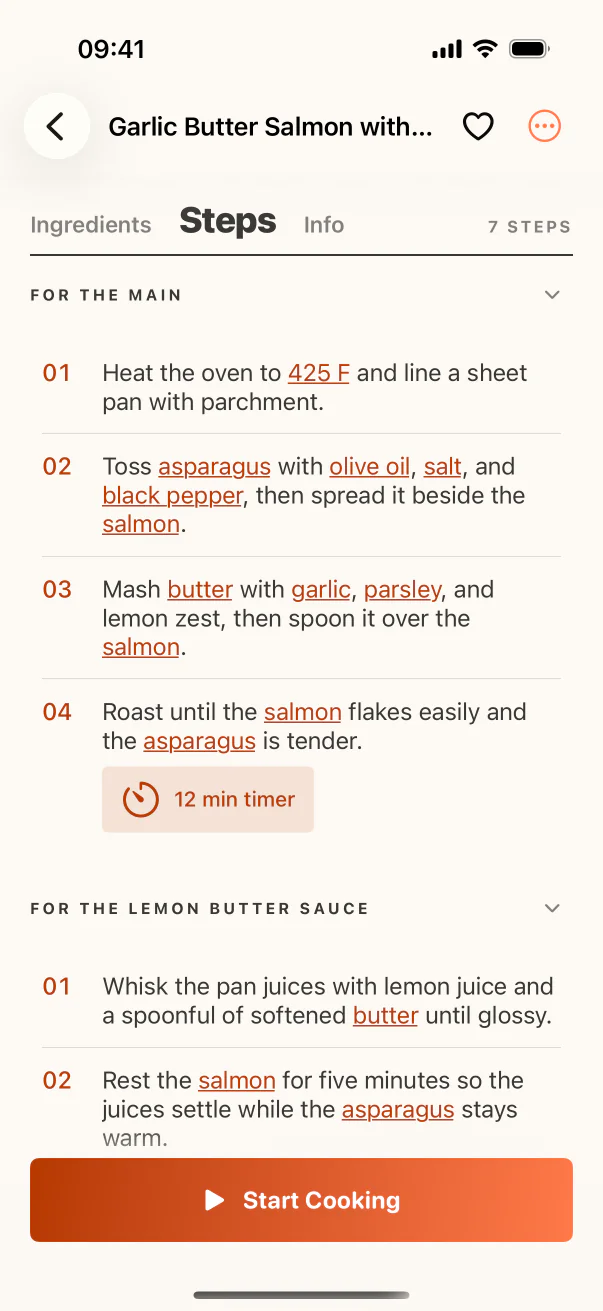
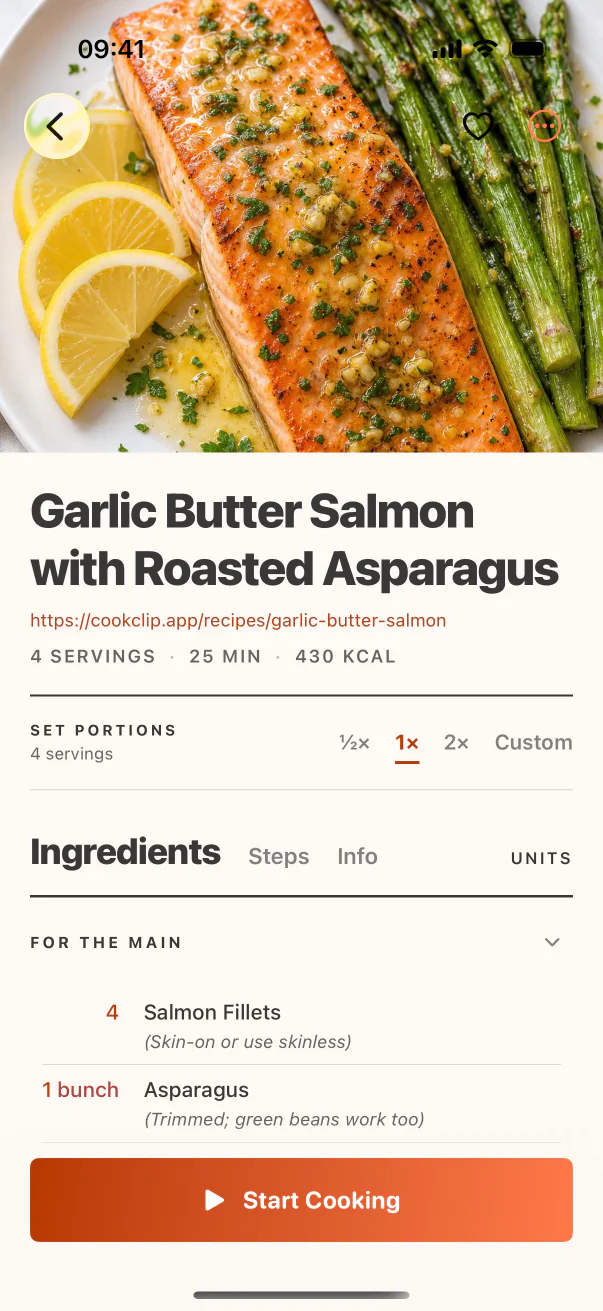
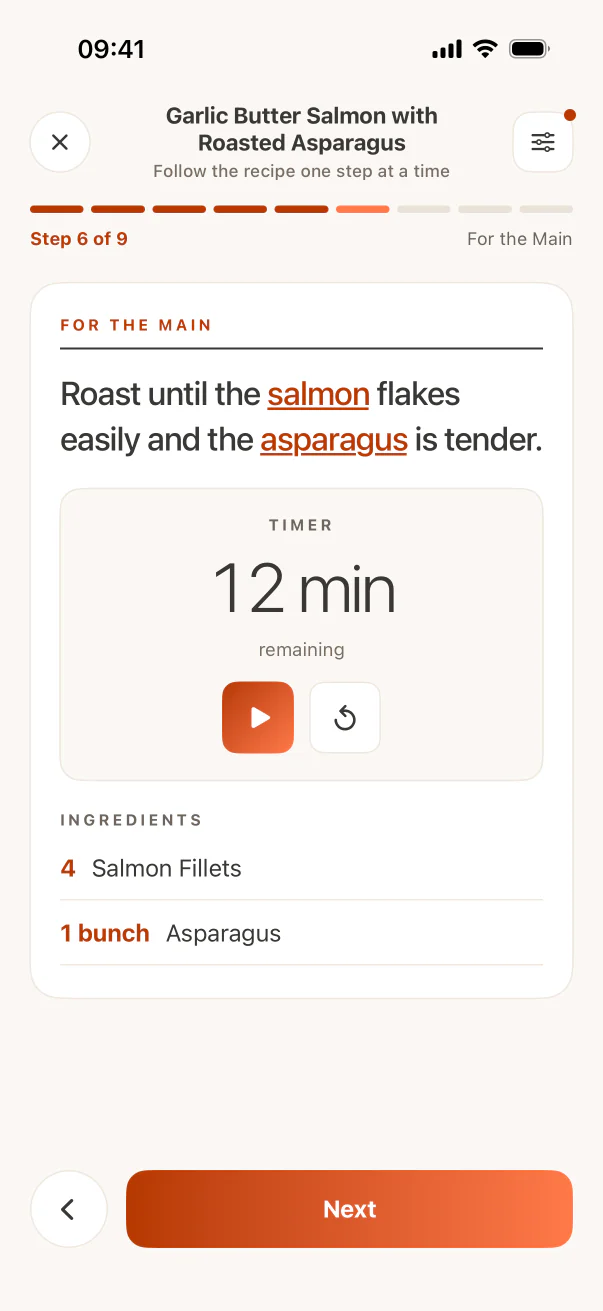
See the workflow in CookClip
These are real CookClip screens. Swipe across on mobile, or compare all three on a larger screen.
Buy once instead of adding another subscription
You do not need to subscribe just to find out whether CookClip fits your cooking habits. CookClip Free lets you save up to 50 recipes and try 5 AI imports, so you can test the complete TikTok-to-recipe workflow with food you genuinely want to make.
When you are ready for unlimited saves, unlimited AI imports, meal planning, grocery tools, and the rest of Pro, CookClip gives you a choice. Use a recurring plan if you prefer flexibility, or buy Lifetime Pro once when the lifetime option is available in the app. There is no ongoing subscription attached to that one-time purchase. Current availability and local pricing always appear on the in-app purchase screen before you buy.
Turn the imported recipe into an actual dinner
An organized recipe is more likely to get cooked when it enters a decision you already make. Add the strongest TikTok recipes to a small Cook Soon collection, schedule one in the weekly meal plan, and generate its grocery items after you confirm the servings.
When cooking time arrives, open the structured ingredients and steps in Cook Mode instead of repeatedly pausing the original video. Return to the TikTok only when the visual demonstration explains texture, shaping, or another technique better than text can.
Know what CookClip cannot recover from a video
No recipe app can reliably supply details the creator never shared. If a video omits a safety-critical temperature, a baking ratio, or the amount of a structural ingredient, do not turn a guess into a confident instruction. Check the caption, transcript, pinned comment, and creator’s recipe site, or choose a better-documented version.
Social platforms also change how public content is exposed, so import quality can vary by post. Keeping the source visible and reviewing every draft makes CookClip a practical bridge from TikTok to your kitchen without pretending the original recipe is more complete than it is.
Practical checklist
From saved TikTok to tonight’s dinner
- Share the TikTok to CookClip or paste the public link.
- Check ingredients, amounts, temperature, timing, and servings.
- Keep the creator name and original source attached.
- Add the recipe to Cook Soon or a realistic meal-plan slot.
- Build the grocery list only after the recipe and servings are final.
FAQ
Common questions
Can CookClip save a recipe directly from TikTok?
CookClip can create an editable draft from supported TikTok links when the public source exposes enough recipe detail. Share the video to CookClip or paste the link, then review the result before saving.
Does CookClip download the TikTok video?
No. CookClip saves the structured recipe information and keeps the source link so you can return to the creator’s original video when needed.
Do I need a subscription to save TikTok recipes?
No. CookClip Free includes up to 50 saved recipes and 5 AI imports. Pro is optional when you want higher limits and planning, grocery, scaling, and expanded idea features.
Can I buy CookClip once instead of subscribing?
Yes. When Lifetime Pro is available in the app, you can buy it once with no ongoing subscription. The purchase screen shows current availability and local pricing before you buy.
Try the workflow
Save TikTok recipes without signing up for another subscription
Start free, then choose a flexible subscription or buy Lifetime Pro once when that option is available in the app. Current availability and local pricing are always shown before purchase.