
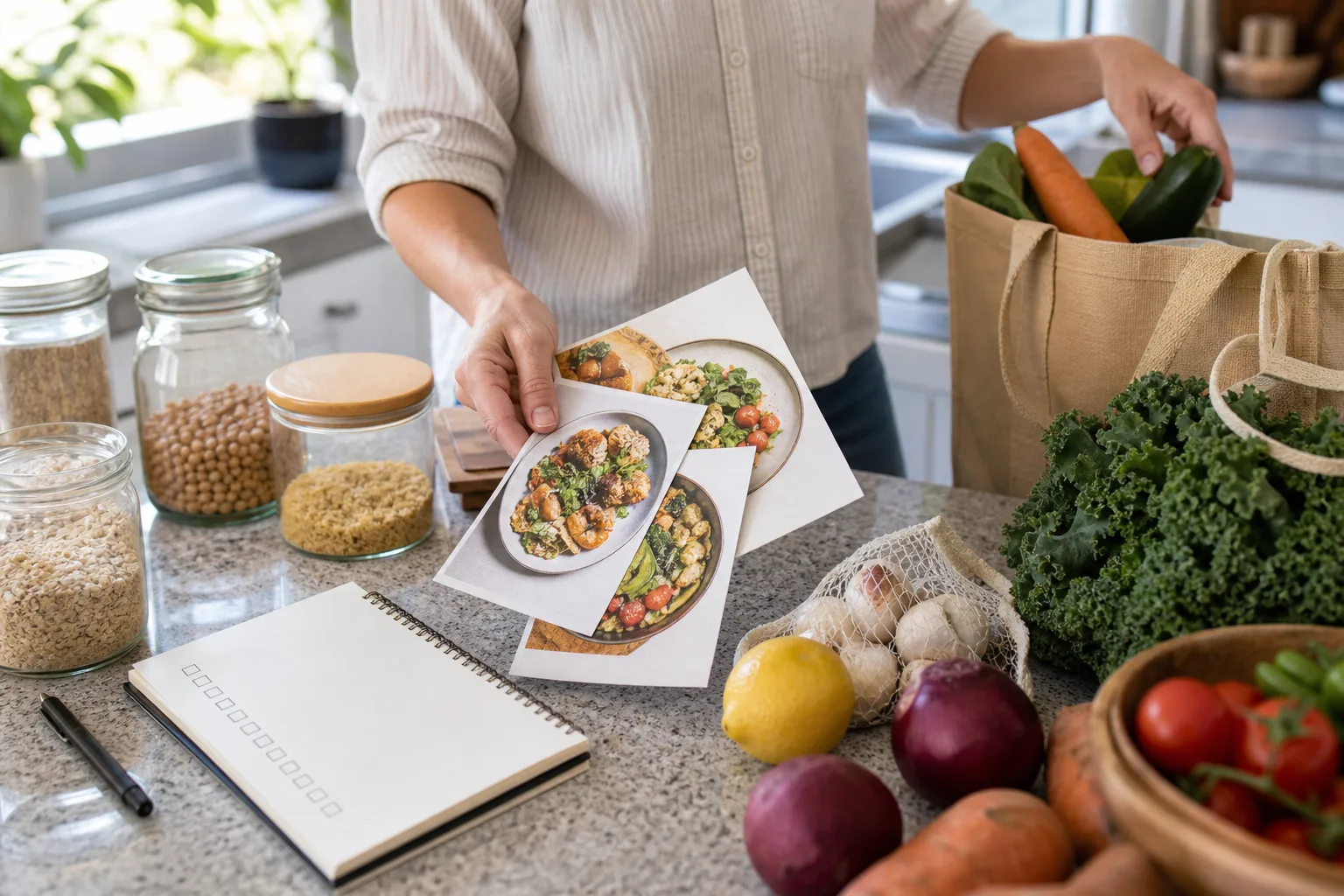
Quick answer
Finalize the meals, then build the list in a fixed order
Choose the recipes you will actually cook, set the correct servings, collect every ingredient, combine only equivalent items, subtract what is already in the kitchen, and organize what remains by the way you shop. Keep recipe context until the final review so a surprising quantity or ingredient is easy to trace.
Why manual grocery lists become unreliable
A manual list looks simple when one recipe is open. The friction appears when ingredients are spread across browser tabs, social posts, screenshots, and notes. You copy one list, switch apps, lose your place, and later discover that the spring onions from the video never made it onto the page.
Quantities create a second problem. Two recipes may both need garlic, one may serve four when you need six, and another may say “a handful” in the method but not in its ingredient list. A useful recipe grocery list has to preserve enough context to resolve those differences before you reach the store.
The goal is not to automate every decision. It is to remove repetitive copying while leaving a deliberate review for servings, pantry stock, substitutions, and optional ingredients.
Use one recipe-to-grocery-list workflow every time
Start by choosing the recipes, not by opening a blank shopping note. Confirm which meals are genuinely happening, how many people each one will feed, and whether any recipe will provide leftovers. Scale the ingredient quantities before combining anything.
Next, collect the complete ingredient list from each recipe. If the source is a website, video, or image, move it into an editable format first. A structured recipe is easier to verify than a collection of cropped screenshots, and it can retain the source for details that need checking later.
Finally, review the combined list against the kitchen and the recipes. This sequence works whether you are making a shopping list from one recipe for tonight or moving several recipes to a grocery list for the week.
- Choose the final recipes and serving counts.
- Collect every ingredient, including components such as sauces and toppings.
- Combine equivalent items without erasing important varieties or notes.
- Subtract only the pantry stock you have confirmed.
- Organize, review, and then shop the final list.
Inside the app
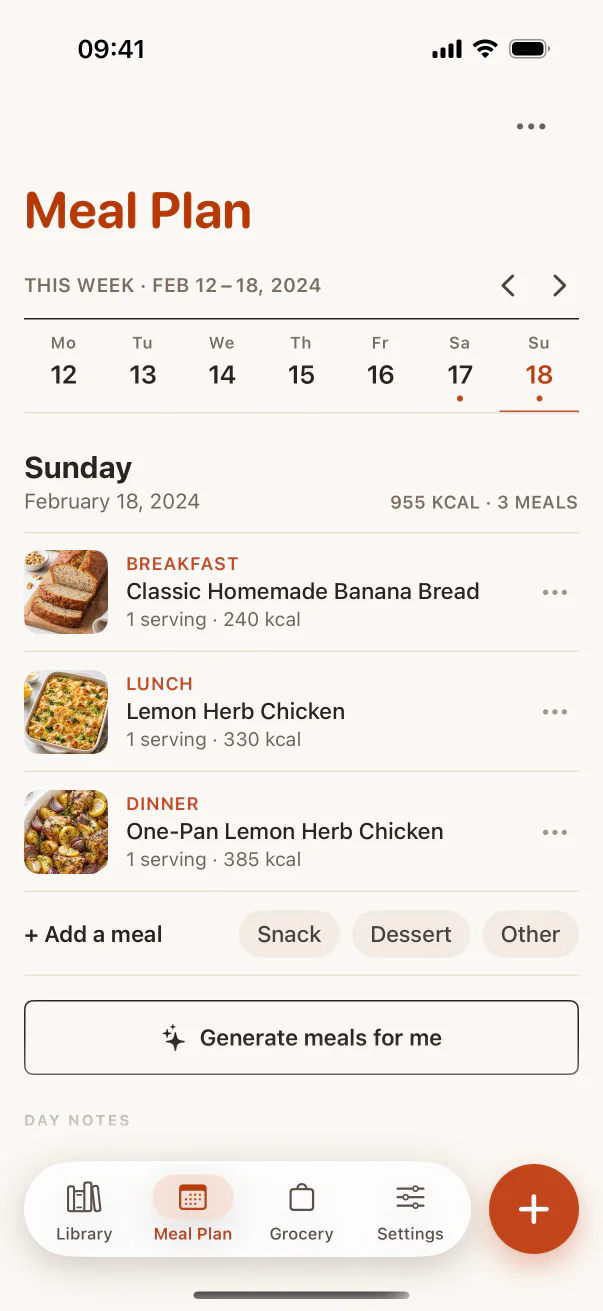
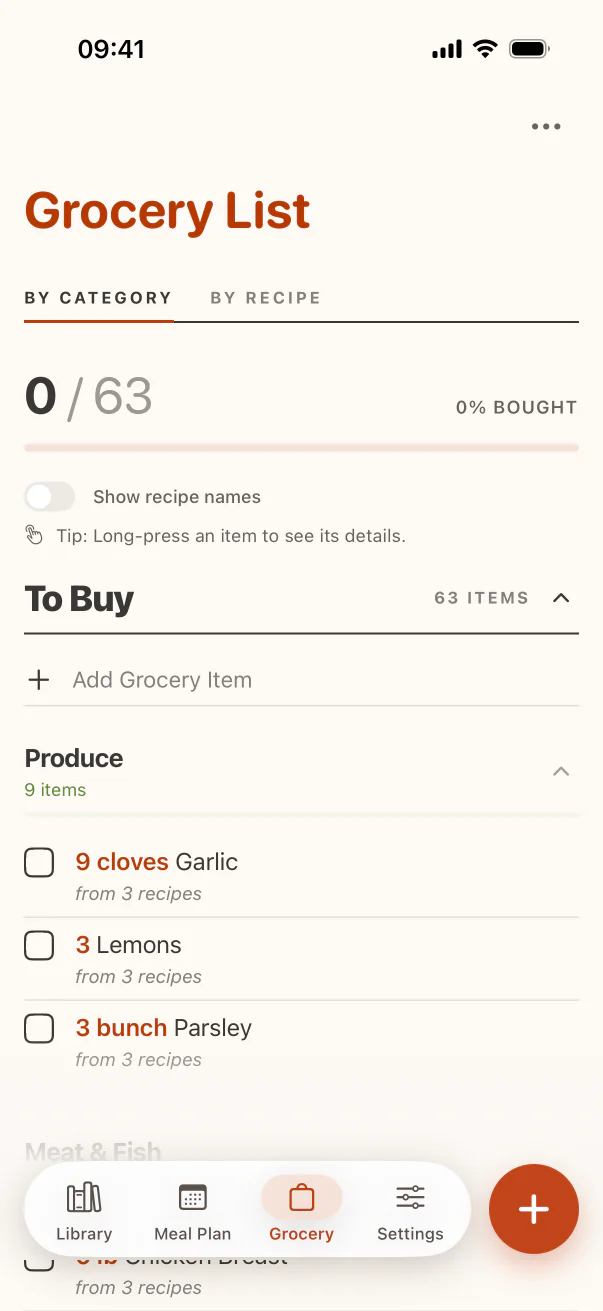
See the workflow in CookClip
These are real CookClip screens. Swipe across on mobile, or compare all three on a larger screen.
Combine several recipes without creating quantity mistakes
When you make a grocery list from recipes, duplicate-looking ingredients deserve a closer look. Two entries for unsalted butter can usually combine after their units are converted. Butter and margarine should stay separate unless you have deliberately chosen a substitution. Fresh coriander and coriander seed are not duplicates at all.
Preserve variety and preparation notes when they affect the purchase. “Two red onions, thinly sliced” and “one onion” may be interchangeable for your dishes, but that is a decision to make—not a safe assumption for a tool or hurried shopper.
If units do not combine cleanly, use a practical purchase note rather than false precision. A recipe may call for 200 grams of yoghurt while another uses half a cup. Converting can help, but “one 500 gram tub” may be the most useful final line. For a deeper consolidation method, see the guide to creating one grocery list from multiple recipes.
Let the meal plan decide what belongs on the list
Meal planning and grocery planning solve different parts of the same problem. The plan decides what you intend to cook; the list determines what you need to buy. Building the list before the plan is settled often creates ingredients for meals that move, get cancelled, or produce more leftovers than expected.
A realistic week may need three anchor dinners, one leftover night, one flexible pantry meal, and space for plans changing. Set those constraints first. Then the recipes-to-grocery-list step reflects the week you are likely to live instead of an idealized seven-night menu.
If a recipe is assigned to a particular day, note any advance work such as thawing, marinating, or buying delicate produce later in the week. CookClip’s meal planner keeps planned meals connected to their saved recipes, but the same reasoning works with a paper calendar.
Organize groceries by the route through the store
Once the ingredient decisions are complete, group the remaining items by shopping area: produce, bakery, dairy, meat or alternatives, pantry, frozen, and household. Category order matters less than consistency. Use the layout that reduces backtracking in the shop you visit most often.
Keep a recipe view or source note available as a second perspective. Category view answers “where will I find this?” Recipe view answers “why am I buying this?” The second question becomes important when a quantity looks unusual, a meal is cancelled, or you are choosing between two sizes.
Check items off only when they are actually in the trolley or ordered. Treating an item as complete because you walked toward the aisle is how it gets forgotten. Move unavailable items to a visible substitute or follow-up note instead of hiding them among completed groceries.
Avoid the mistakes that create waste or a second shop
The most common mistake is removing pantry staples from memory. Check the container and compare its remaining amount with the combined requirement. Having some flour is not enough if two recipes need nearly a full bag.
Another mistake is merging too aggressively. Different cuts of meat, types of rice, strengths of stock, forms of chocolate, or varieties of chilli can behave differently. Keep them separate when the recipe depends on the distinction.
Also watch for ingredients hidden in the method, recipes left at their original serving size, optional garnishes added without intention, and household basics omitted because they were not part of a recipe. A final scan by recipe catches cooking gaps; a final scan by category catches shopping gaps.
Compare Notes, screenshots, and structured recipes
Apple Notes is quick and flexible. It works well for a short list, a single familiar recipe, or a household that prefers free-form text. Its limitation is that recipe ingredients remain ordinary text: serving changes, source context, categorization, and repeated ingredients all require manual attention.
Screenshots are useful evidence, especially when a recipe only appears in a social post or image. They are weak shopping inputs because the text cannot be reliably selected, combined, or checked off, and the source often disappears in the camera roll. Several tall screenshots are also difficult to compare while planning.
Structured recipes add a small review step at the beginning, then make every later action easier. Ingredients have their own fields, the recipe keeps its title and source, and a recipe-to-shopping-list tool can reuse those fields without another round of transcription. The CookClip save-recipes guide compares link, photo, text, and manual workflows.
Why importing the recipe saves time later
Importing is most valuable when the recipe will be used more than once. Instead of copying ingredients for the shop, returning to the video for the method, and rebuilding the list next month, you create one checked recipe that supports planning, groceries, and cooking.
CookClip’s recipe importer can create an editable draft from supported websites, accessible Instagram, TikTok, Facebook, and YouTube links, pasted text, photos, and screenshots when enough detail is available. You still verify quantities and steps; the time saving comes from editing a structured draft instead of typing the recipe from zero.
Once saved, the same recipe can feed a recipe-to-grocery-list workflow whenever you cook it. The source stays attached, ingredients remain editable, and several recipes can contribute to one organized grocery list without turning your notes app into an archive of old shopping lists.
Practical checklist
Final grocery list review
- Confirm the chosen recipes, dates, leftovers, and serving counts.
- Check every ingredient section, including sauces, toppings, and garnishes.
- Combine only items that are genuinely interchangeable.
- Verify pantry quantities instead of relying on memory.
- Review once by recipe and once by shopping category.
- Keep unavailable items visible until you choose a substitute.
FAQ
Questions about recipe grocery lists
What is the fastest way to make a grocery list from a recipe?
Use an editable recipe, set the serving count, add the ingredients you need to one list, remove confirmed pantry stock, and organize the remainder by shopping category. Importing a link or screenshot can reduce transcription, but review the result.
Can I turn multiple recipes into one shopping list?
Yes. Finalize and scale each recipe first, then combine equivalent ingredients carefully. Keep the recipe source visible for items that need explanation or must be removed when a meal changes.
Should I combine every duplicate ingredient?
No. Combine only equivalent varieties and forms. Fresh and dried herbs, different cuts, or ingredients with important preparation notes may need separate entries.
Is a Notes checklist enough for recipe shopping?
It can be enough for one familiar recipe or a short list. A structured recipe workflow is more useful when you regularly import recipes, adjust servings, combine several meals, organize by category, or reuse the same recipes.
When should I check the pantry?
After the full combined requirement is visible and before the final category review. Check actual quantities so a nearly empty staple is not removed by mistake.
Try the workflow
Let saved recipes lead somewhere useful
CookClip connects your personal recipe library to meal planning, categorized grocery lists, ingredient-first ideas, and focused Cook Mode.