
Quick answer
Import first, edit second
Share or paste the recipe source into a structured importer, let it create a draft, then spend your time checking ingredients and steps rather than retyping them. Use photos for paper or screenshot sources and manual entry only when the source is incomplete.
Choose the capture route that matches the source
A normal recipe website is usually easiest to save from its URL. A social post is often fastest through the iOS share sheet. A cookbook page or screenshot needs photo extraction. A family recipe spoken over the phone may still be best entered manually.
Using the wrong route creates extra work. Copying each ingredient from a structured website wastes time, while forcing an incomplete video through automation can create a confident-looking but unusable draft.
Prefer structured import over a plain bookmark
A bookmark remembers where a recipe lived. A structured import gives you ingredients, steps, servings, time, source, and editable notes. That structure enables ingredient search, serving adjustments, meal planning, and grocery lists later.
With CookClip, you can paste or share a supported recipe source and review the resulting draft before adding it to your cookbook.
Inside the app
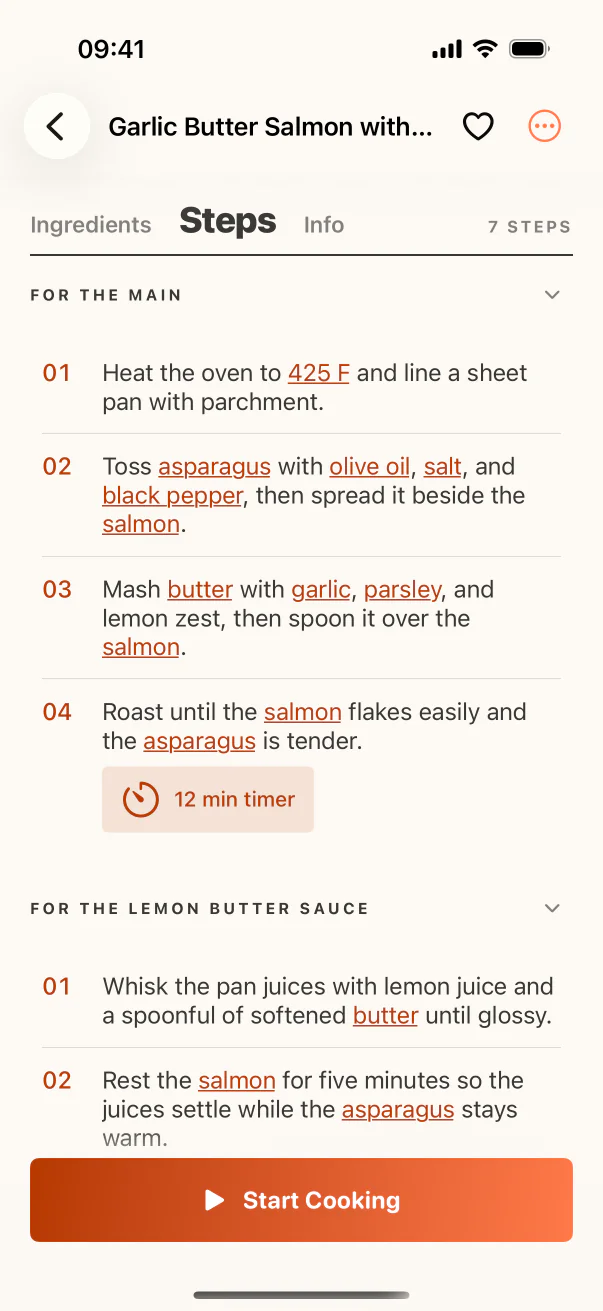
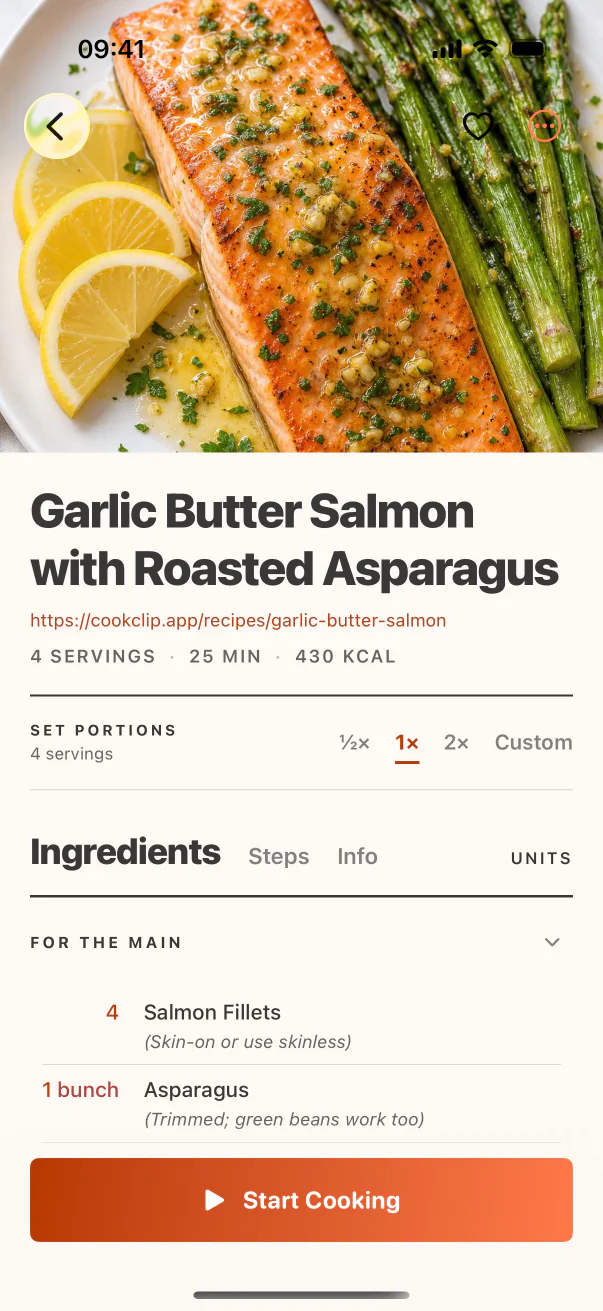
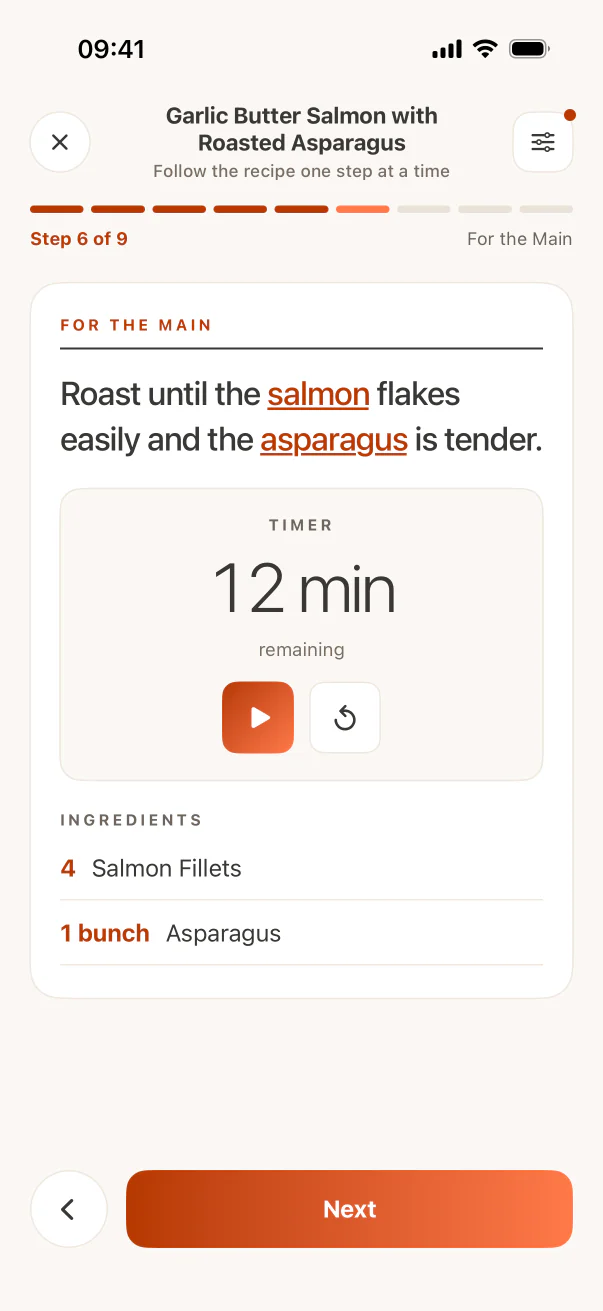
See the workflow in CookClip
These are real CookClip screens. Swipe across on mobile, or compare all three on a larger screen.
Expect a short verification pass
Automation removes repetitive copying; it does not remove responsibility. Check quantities, units, ingredient headings, step order, timing, and servings. Delete promotional text and preserve any source note that explains technique.
A two-minute review is usually faster than manual transcription and far safer than assuming every extracted field is correct.
Know when a page needs help
Cookie banners, login walls, collapsed recipe cards, region notices, and script-heavy pages can block access to the recipe text. Open the page, accept required prompts, expand the recipe, and confirm it is visible before importing again.
If the recipe remains unavailable, use a creator-provided print view, paste the visible text, take clear screenshots, or enter the missing fields manually.
Finish the workflow while context is fresh
Give the recipe a useful title, place it in one relevant collection, add a few tags, and keep the source. An imported draft left unreviewed is only a more sophisticated form of clutter.
Practical checklist
Fastest reliable save method
- Share the link directly when the source app supports it.
- Paste a URL for accessible recipe websites.
- Use photos or screenshots for paper and image-only sources.
- Review the generated draft instead of trusting it blindly.
- Use manual entry for missing or personal details only.
FAQ
Common questions
Is copying a recipe URL enough?
It is enough for a bookmark, but not for searching ingredients, scaling servings, or building a grocery list. A structured import is more useful.
Why does an importer sometimes miss ingredients?
The source may hide content, use unusual formatting, or omit details. Open the page fully, retry, and add anything still missing by hand.
Can I edit an imported recipe?
A good recipe importer should create an editable draft so you can correct ingredients, steps, timing, servings, notes, and the title before saving.
When is manual entry better?
Use it for original recipes, verbal family recipes, highly incomplete sources, or personal changes that the original source does not contain.
Try the workflow
Save the useful version, not another mystery link
CookClip can turn links, shared sources, pasted text, photos, and screenshots into editable recipe drafts you can review and keep.