
TikTok recipe saver

Updated May 2026 · iPhone recipe import guide

How to Save TikTok Recipes on iPhone

TikTok is great for finding dinner ideas, but likes and saved videos are a messy place to cook from. CookClip helps you save TikTok recipes by copying a link or sharing directly, then reviewing the URL before turning it into ingredients, steps, meal plans, and grocery lists.

Free users can save up to 20 recipes and use 5 AI recipe imports.

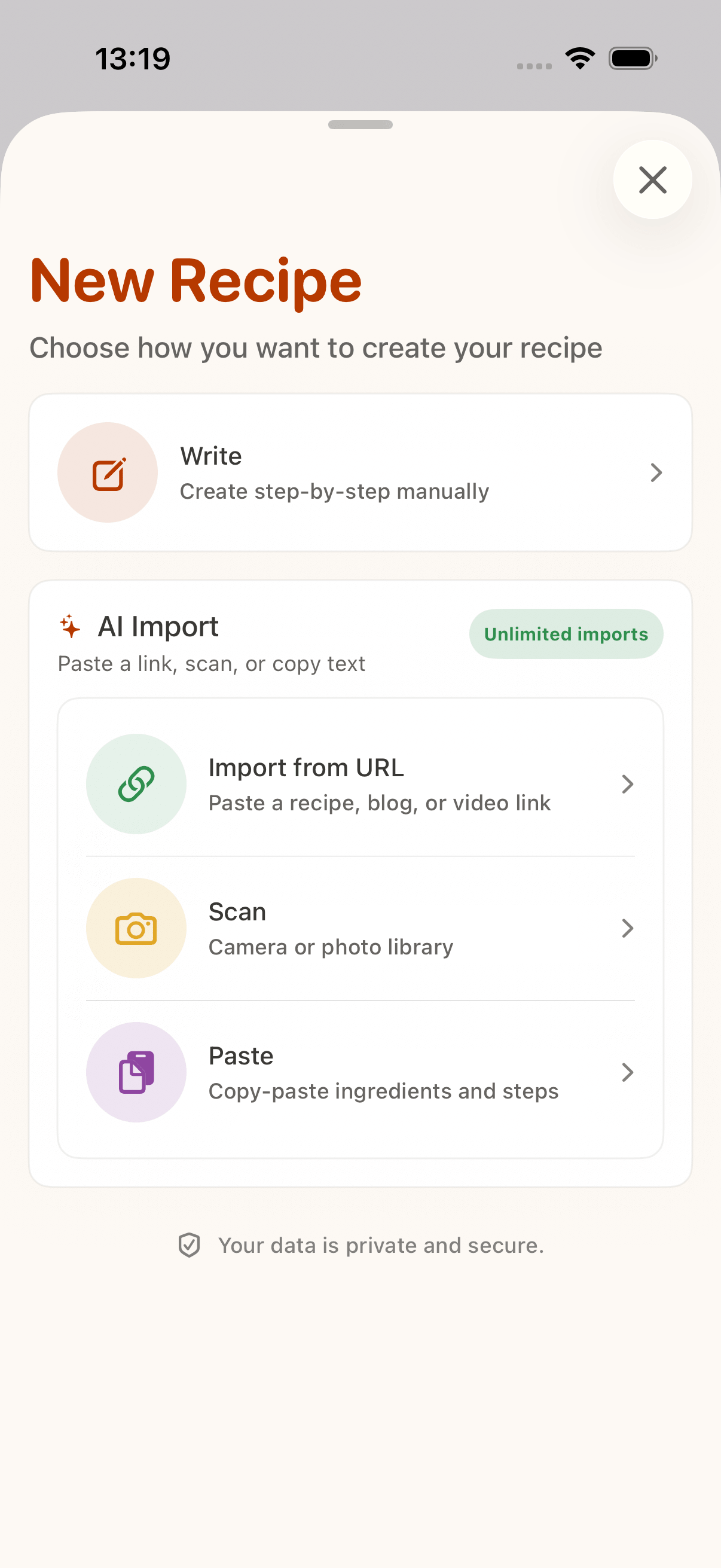
CookClip import screen for saving TikTok recipes

Quick method

Import recipes from TikTok links

Use CookClip when you want the recipe, not another video to rewatch. It works as a recipe link importer: copy and paste the link, or share it directly from TikTok, then review the URL before you create the recipe.

Method 1

Copy, paste, and create

Copy a recipe URL from TikTok, a creator bio, a linked blog, or any recipe website.

  1. Download CookClip from the App Store.
  2. Copy the recipe URL.
  3. Open CookClip and paste the link into the import screen.
  4. Tap Import Recipe.
  5. Review the detected URL.
  6. Tap Create Recipe to turn the link into a clean, saved recipe.

A simple way to save recipes from links when you already have the URL copied.

Method 2

Share a recipe link directly to CookClip

Open the recipe link in TikTok, Safari, or another app and send it straight to CookClip.

  1. Download CookClip from the App Store.
  2. Tap Share.
  3. Tap More if CookClip is not visible.
  4. Choose CookClip.
  5. CookClip opens the import sheet automatically.
  6. Review the URL, then tap Create Recipe.

Save cooking ideas before they disappear from your feed or favorites.

TikTok videos do not always include a complete recipe. CookClip helps organize what is available and keeps the URL and draft review step visible before saving.

Complete guide

From TikTok video to usable recipe card

Cooking videos are built for discovery, but recipes need structure. CookClip helps separate ingredients, steps, timing, servings, and notes so you can cook without scrubbing through a video.

Keep the original TikTok recipe link

Save the original TikTok link with the recipe when possible. It gives you a path back to the creator while CookClip keeps your cooking instructions easier to use.

1. Download CookClip and start with a TikTok link

Get CookClip from the App Store, then use a shared link, copied URL, or pasted notes from the video caption.

2. Let CookClip organize the recipe

CookClip looks for available recipe details and turns them into editable ingredients and steps.

3. Review ingredients and steps

Add missing amounts, fix timing, clarify prep notes, and save only when the recipe looks right.

4. Use it for planning and shopping

Add the saved recipe to a meal plan, generate a grocery list, or open it in Cooking Mode.

Best recipe sources

Save TikTok recipes from links, captions, notes, and screenshots

Some TikTok recipes have a full caption. Some point to a blog. Others only show measurements on-screen. CookClip gives you more than one way to capture the parts you need.

Recipe videos with captions

Paste the TikTok link and let CookClip use the available caption or linked details to draft the recipe.

Creator links and blogs

If the video links to a full recipe page, import that page so the draft has richer ingredient and step details.

Pasted ingredient notes

Copy ingredients or instructions from the caption, comments, or your own notes and paste them into CookClip.

Photos and screenshots

When the useful recipe detail is visual, scan a screenshot or photo and review the result before saving.

Why CookClip

Better than cooking from TikTok favorites

Favorites are easy to collect and hard to use. CookClip turns the recipes you actually want to cook into a searchable library that can support grocery shopping and weekly planning.

Searchable cookbook

Find saved TikTok recipes by name, ingredient, tag, favorite, or folder.

Ingredient and step help

Turn messy cooking inspiration into clearer ingredients, cooking steps, servings, and timing.

Meal planner

Move recipes from “looks good” to a real plan for the week.

Grocery list generator

Build a shopping list from recipes instead of rewriting ingredients by hand.

FAQ

TikTok recipe saving questions

Can CookClip save recipes from TikTok?

Yes. Paste or share a TikTok recipe link into CookClip, review the detected URL, and the app helps organize available recipe details into an editable draft.

What if the TikTok video does not include ingredients?

CookClip cannot invent a complete recipe from missing information. You can add notes manually, paste text, or scan a screenshot if you have the details elsewhere.

Can I turn TikTok recipes into grocery lists?

Yes. Once the recipe is saved, CookClip can use it for meal planning and grocery list generation.

Is CookClip available on Android?

CookClip is currently iPhone-focused and available from the App Store.

Import from anywhere

Save recipes from TikTok, Instagram, YouTube, Facebook, Pinterest, websites, notes, and photos

CookClip is built for modern recipe saving across social videos, Pinterest, websites, notes, photos, and your own kitchen routine.