
Quick answer
Clean in priority order, not alphabetical order
Start with broken and incomplete recipes, merge obvious duplicates, rename vague titles, remove labels that no longer help, and archive or delete recipes you repeatedly skip. Process recent imports weekly so the mess does not return.
Identify the friction, not just the volume
A library can be large and still useful. The real problems are recipes that cannot be found, cannot be cooked, or compete with better versions. Look for broken bookmarks, empty ingredient lists, duplicated imports, vague social titles, and abandoned aspirational recipes.
Repair incomplete keepers first
Prioritize family recipes and dishes you actually make. Restore missing amounts, steps, servings, timing, or sources while you still have access to the original. If a social post is gone and the recipe cannot be reconstructed reliably, write down what you know or let it go.
Do not spend an hour repairing a recipe you never intended to cook. Cleanup should follow value.
Inside the app
See the workflow in CookClip
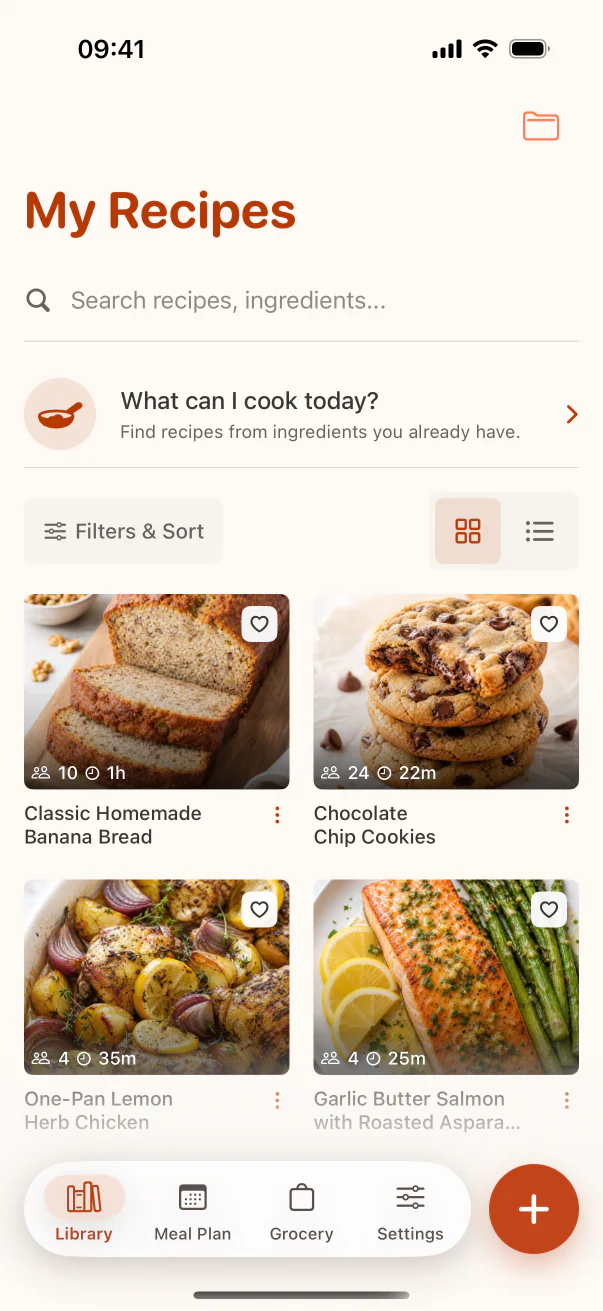
These are real CookClip screens. Swipe across on mobile, or compare all three on a larger screen.
Choose one keeper from duplicates
Compare duplicate versions and keep the one with the clearest instructions, most reliable source, and your own tested notes. Merge useful annotations before deleting the extras.
Different recipes for the same dish are not necessarily duplicates. Keep both when they use meaningfully different methods or serve different needs, and rename them clearly.
Normalize titles and labels
Rename “Must try,” “Dinner idea,” and copied caption fragments to the actual dish name. Merge overlapping tags, remove empty collections, and keep only labels that change how you browse or choose.
Do not polish every description. Accurate ingredients, steps, timing, servings, and source matter more than perfect prose.
Create an exit rule for unused recipes
If you have skipped a recipe several times because it is too complicated, too expensive, poorly documented, or no longer suits your household, archive or delete it. A personal cookbook is allowed to be selective.
Finish with a weekly five-minute inbox review for new imports. Preventing clutter is easier than cleaning it repeatedly.
Practical checklist
Thirty-minute cleanup sprint
- Repair five valuable but incomplete recipes.
- Merge five obvious duplicates.
- Rename vague or social-caption titles.
- Merge synonymous tags and remove empty collections.
- Delete ten recipes you know you will not cook.
FAQ
Common questions
Should I delete recipes I have never cooked?
Not automatically. Keep a small Cook Soon queue, but remove recipes you repeatedly reject or that lack enough detail to be useful.
How do I choose between duplicate recipes?
Prefer the version you trust, have tested, or can verify. Merge your notes and preserve useful source links before removing extras.
Do all recipe titles need the same format?
They need to be descriptive and searchable, not identical in style. Use the actual dish name and a useful qualifier when versions differ.
How often should I clean the library?
Process new imports weekly and clean older recipes when you encounter them. Small ongoing maintenance prevents another large project.
Try the workflow
Build a recipe library that stays easy to use
Use collections for curated groups, tags for overlapping qualities, favorites for proven winners, and search for the moment you are in.