
Quick answer
Save the recipe details you can access, then keep the source attached
Share a supported public Facebook recipe source to CookClip or paste its link, then check the draft against the post, video, comments, or linked recipe page. Start free with up to 50 recipes and 5 AI imports. For Pro, choose a subscription or buy Lifetime Pro once when the lifetime option is available in the app.
Facebook saves scatter one recipe across too many places
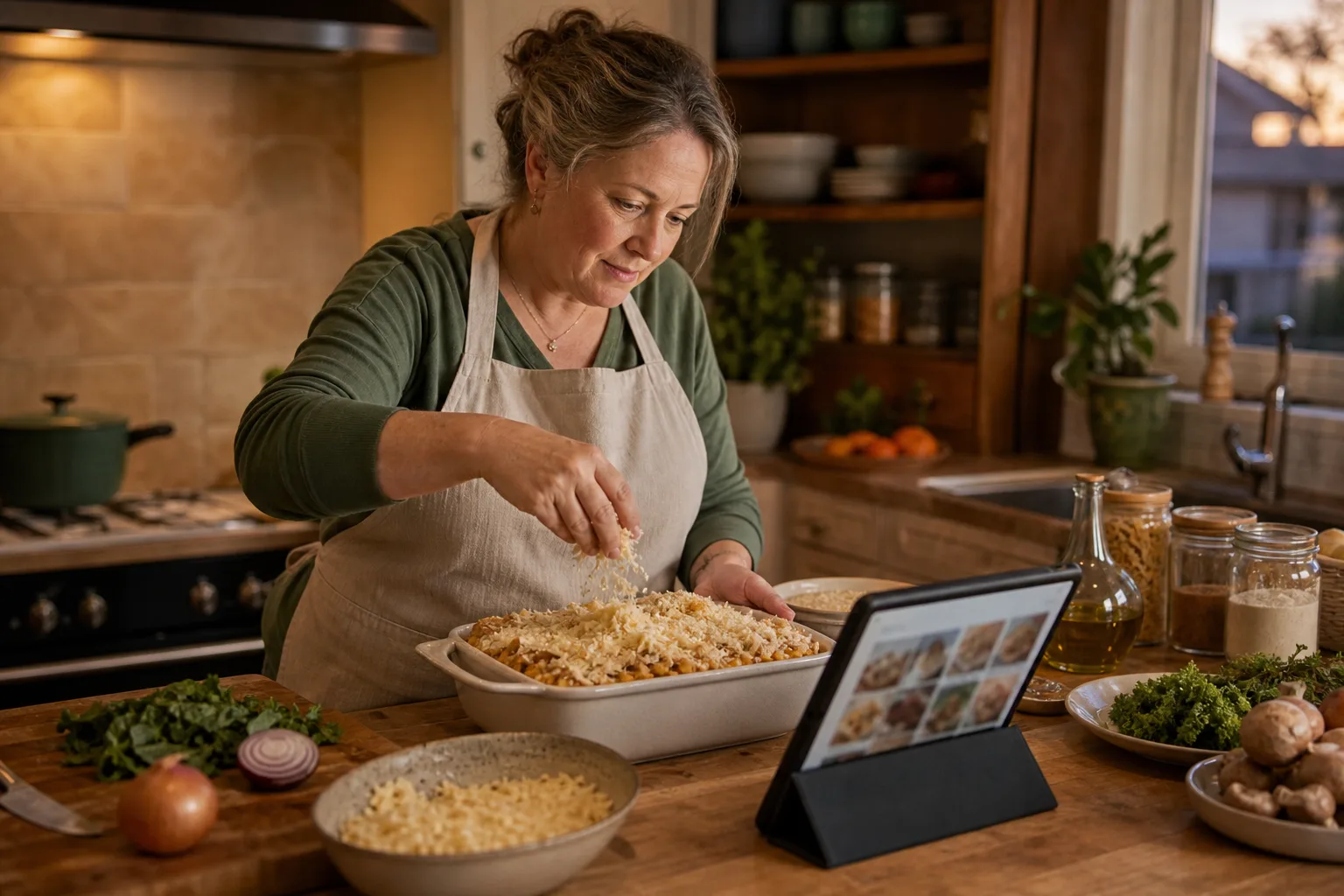
A family recipe may arrive as a group post, a video, a photo of a handwritten card, a link in the comments, or a useful correction buried in a reply. Saving the post preserves the conversation, but it rarely gives you one clean set of ingredients and steps when it is time to cook.
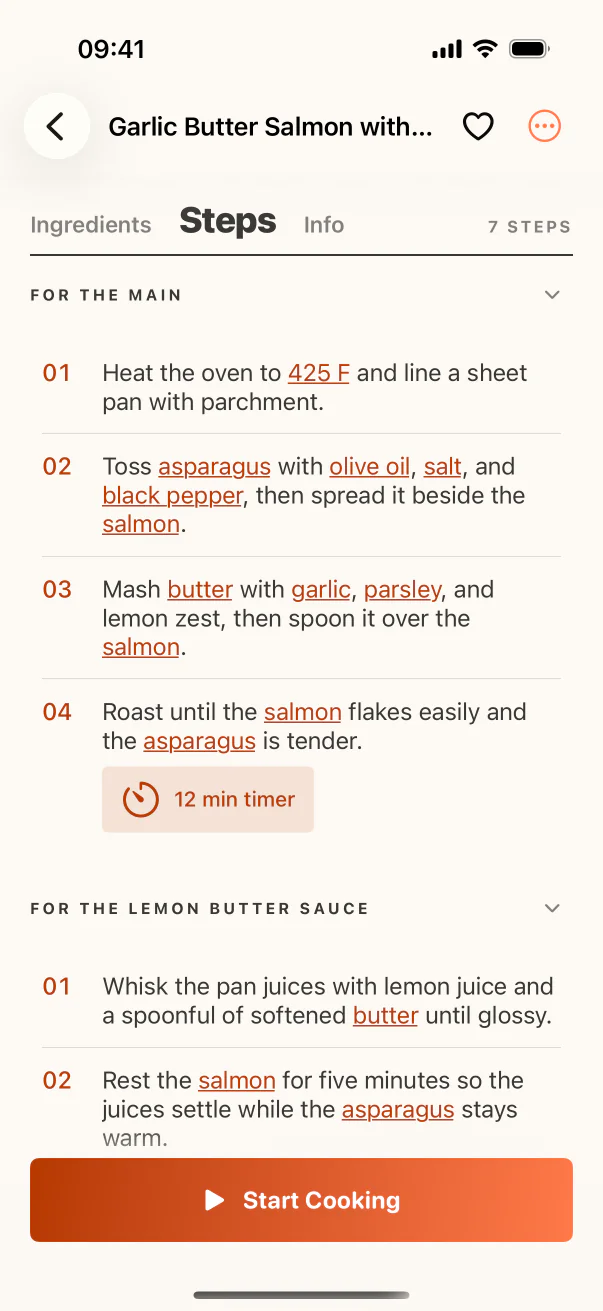
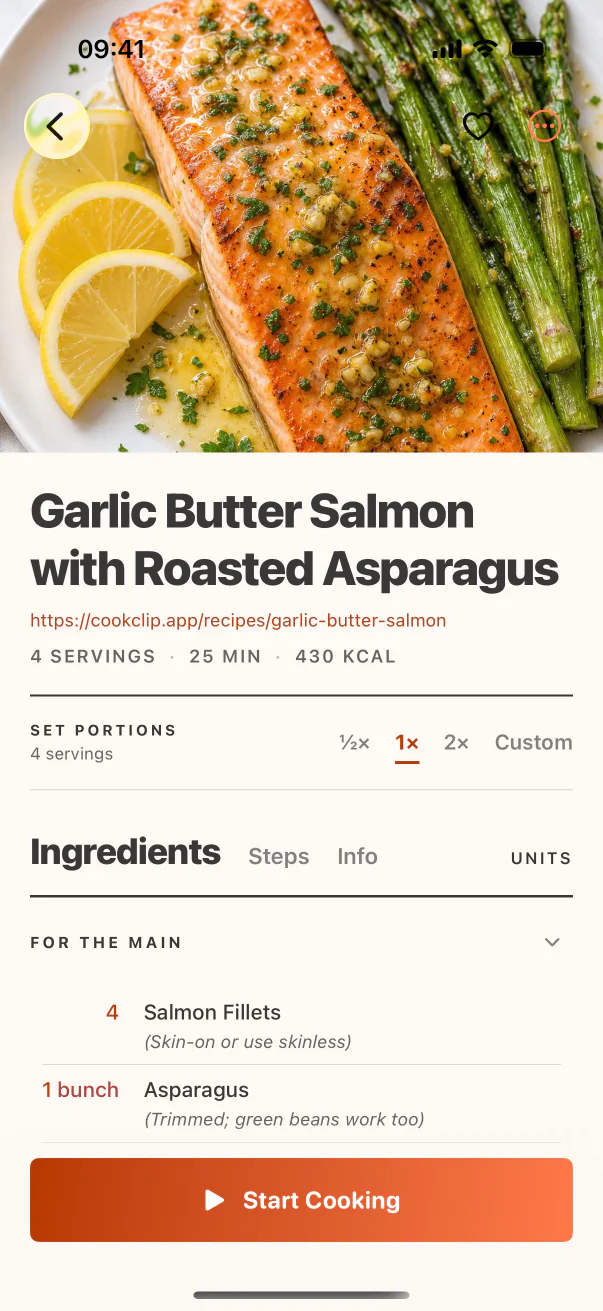
CookClip lets you keep a structured recipe beside the original source. The post still carries the creator, discussion, and context; the recipe card gives you a searchable title, editable ingredients, ordered steps, servings, timing, and notes.
Use the import route that matches the Facebook post
For a supported public post, video, or shared recipe link, send the source to CookClip from the iOS share sheet or paste its URL. When the recipe is written directly in the post, pasted text may be clearer. For a recipe card or image you can access, a sharp photo or screenshot can create a more useful starting draft.
Review the result against everything visible to you. Comments may contain a corrected measurement, the post may link to a complete website recipe, and the video may demonstrate a step that the written copy skips.
- Use a searchable dish name instead of the post’s opening line.
- Preserve the author, group or page context, and original link.
- Mark family changes and comment-sourced tips as notes.
Inside the app
See the workflow in CookClip
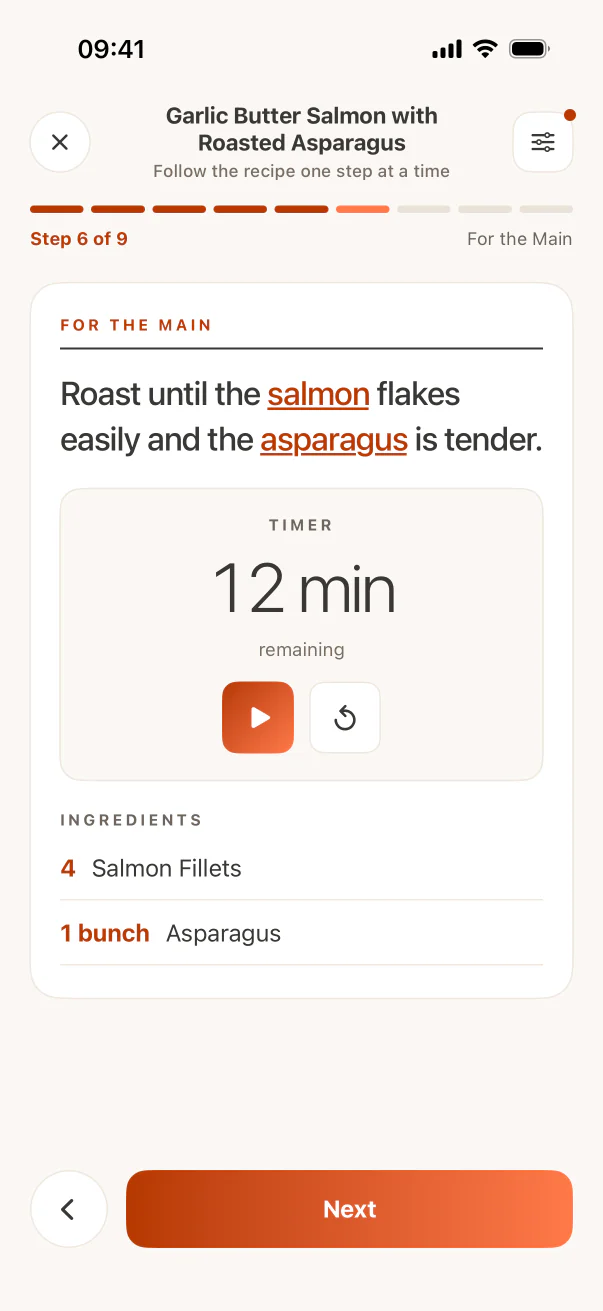
These are real CookClip screens. Swipe across on mobile, or compare all three on a larger screen.
Pay once for Lifetime Pro when that option is offered
CookClip Free is meant to be useful before you pay. It includes up to 50 saved recipes and 5 AI imports, so you can test public links, pasted post text, and recipe photos with the sources you actually use.
Pro removes the recipe and AI import limits and unlocks AI recipe ideas, online discovery, AI-generated meal plans, advanced grocery organization, custom scaling, and expanded recipe tools. You can choose a recurring subscription for flexibility, or buy Lifetime Pro once when it is available in the app. The lifetime purchase does not create an ongoing subscription. Because storefront options vary, the app always shows current availability and local pricing before purchase.
Turn a useful Facebook find into a repeatable household recipe
Before filing the recipe, standardize the title, clarify amounts, separate ingredients from method, and record any household adjustment you want to repeat. Add a collection or tag only if it helps someone find the recipe later.
Then move the recipe into action: add it to Cook Soon, place it on the meal plan, confirm the servings, and build the grocery list. Cook from the clean steps while keeping the Facebook source one tap away for comments or technique.
Respect privacy and be honest about inaccessible details
CookClip cannot bypass a private group, account login, deleted post, or permission boundary. Import only material you can access, and do not expect a link alone to expose content that Facebook keeps behind a login or group membership.
If the visible source omits a critical amount, time, or temperature, do not silently fill the gap. Ask the person who shared the recipe, look for the linked original, or choose a documented alternative. Keeping attribution and uncertainty visible makes the saved version more trustworthy.
Practical checklist
From Facebook save to family cookbook
- Choose a public link, visible post text, or clear recipe image you can access.
- Check the post, comments, video, and linked page for corrections.
- Verify amounts, timing, temperature, servings, and step order.
- Keep the author and original Facebook context with the recipe.
- Add the reviewed recipe to Cook Soon, a meal plan, or groceries.
FAQ
Common questions
Can CookClip save recipes from Facebook?
CookClip can create drafts from supported public Facebook sources and can also work with pasted text or clear recipe images you can access. Review the draft before saving.
Can CookClip import from a private Facebook group?
CookClip cannot bypass privacy or login controls. Use only content you can access and provide visible text or images when the original link cannot expose the recipe.
Is a subscription required for Facebook recipe saving?
No. CookClip Free includes up to 50 saved recipes and 5 AI imports. Pro is optional for unlimited use and the additional planning, grocery, scaling, and idea features.
Can I buy CookClip Pro without a subscription?
Yes. When Lifetime Pro is available in the app, you can buy it once without ongoing billing. Current availability and local pricing appear before you purchase.
Try the workflow
Bring Facebook recipes home without another required subscription
Try CookClip Free first. If you choose Pro, use a recurring plan or buy Lifetime Pro once when that option is available in the app. Current availability and local pricing are shown before purchase.