
Quick answer
Choose CookClip for mixed modern sources; Paprika for a classic cross-platform utility
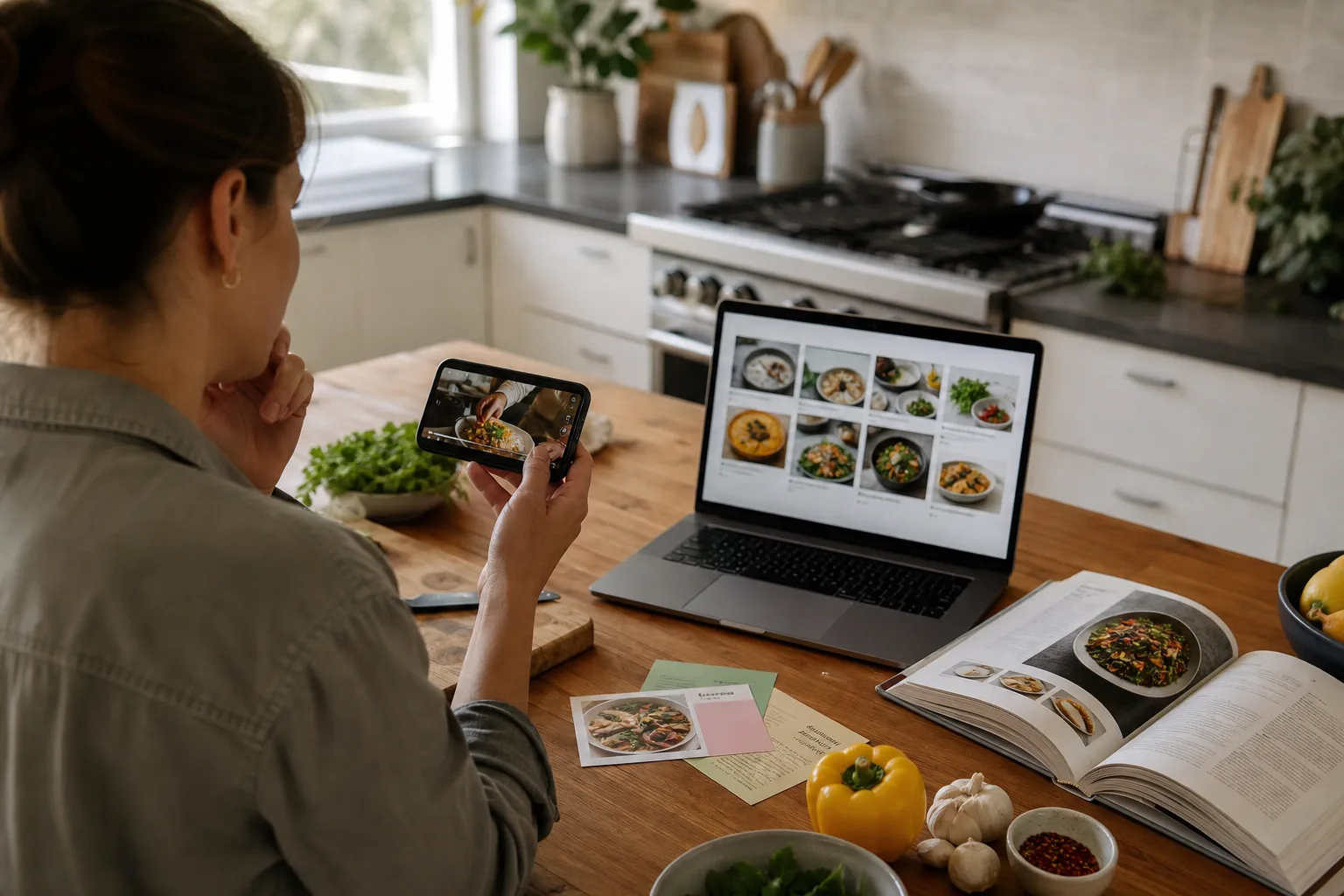
CookClip is the better fit when recipes come from social links, screenshots, photos, pasted text, and websites and you want a native iPhone/iPad workflow with subscription or possible Lifetime Pro. Paprika fits cooks who primarily clip websites and want a mature pantry, menu, planning, and grocery system across separately purchased platforms.
Recipe capture: mixed sources versus classic web clipping
CookClip supports URLs, shared links, pasted text, camera photos, screenshots, handwritten recipes, and manual entry. Its Smart Import workflow is designed for recipe sources that may not arrive as a clean web recipe card.
Paprika’s strength is its built-in browser and web importing. Its iOS guide also documents a Safari extension for saving recipes. For a collection dominated by traditional recipe websites, that workflow remains direct and proven.
Organization and retrieval
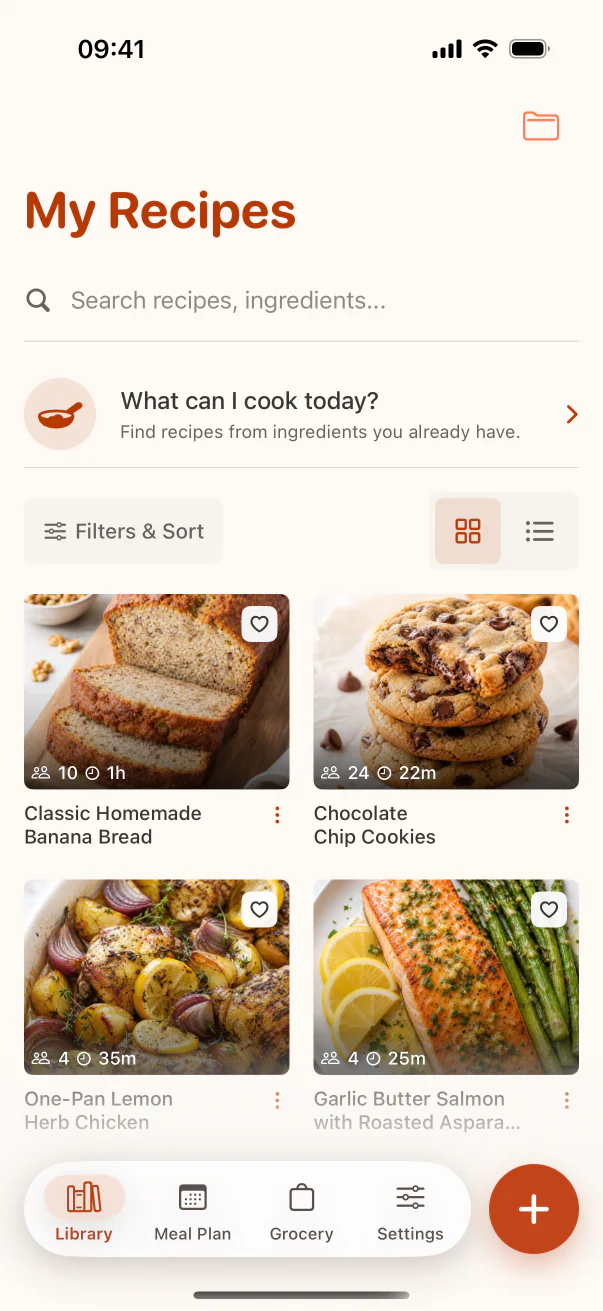
CookClip combines collections, overlapping tags, favorites, title/tag/ingredient search, and ingredient-first saved recipe matching. It encourages a visual, flexible personal cookbook.
Paprika uses categories and subcategories, ratings, favorites, detailed search fields, pantry tracking, and reusable menus. Cooks who enjoy a dense utility-style database may prefer that depth.
Inside the app
See the workflow in CookClip
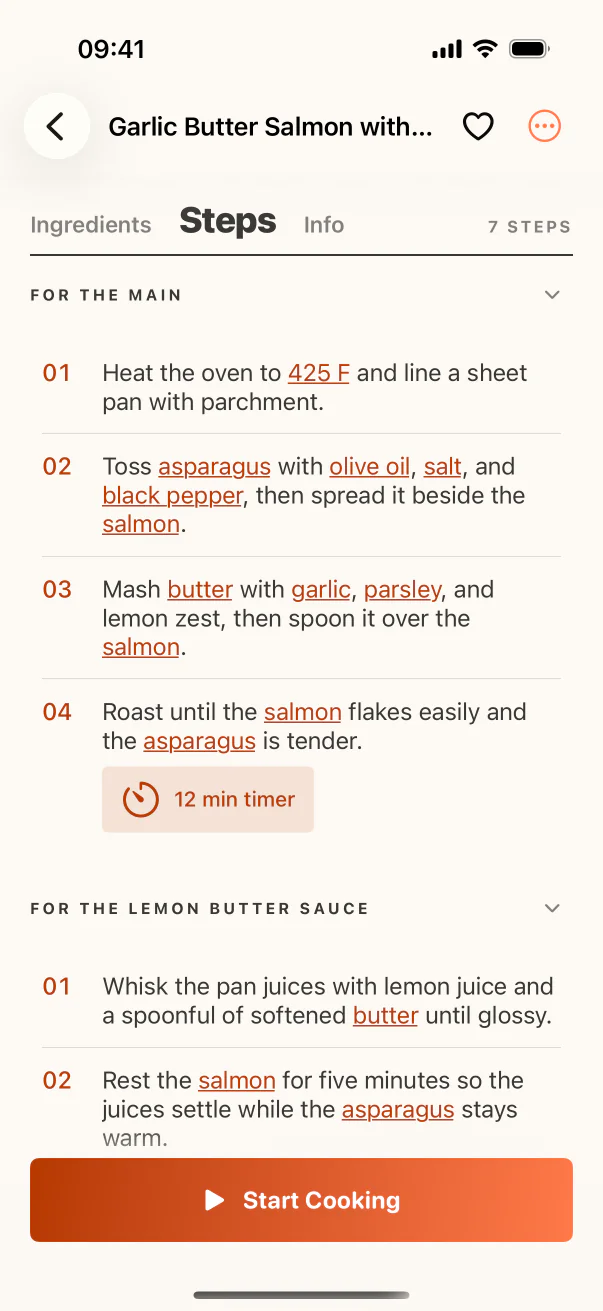
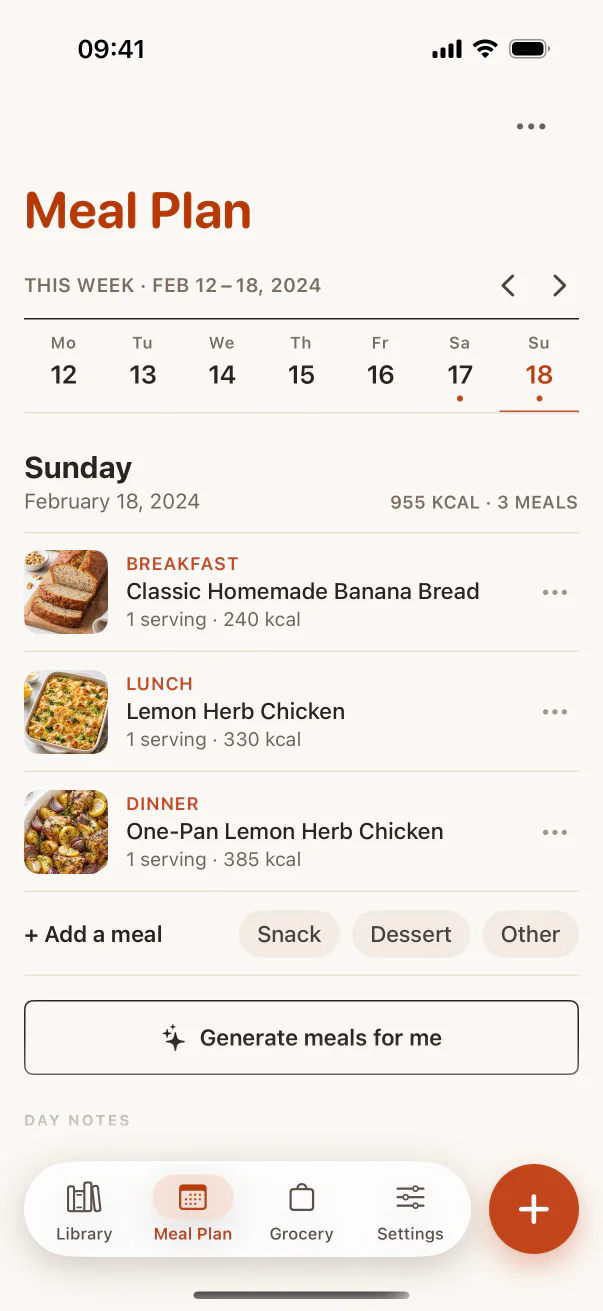
These are real CookClip screens. Swipe across on mobile, or compare all three on a larger screen.
Planning, groceries, and cooking
Both connect recipes to meal planning, grocery lists, scaling, and cooking. CookClip adds a focused Cook Mode and can generate or discover recipe ideas from available ingredients for eligible Pro use.
Paprika includes daily, weekly, and monthly meal planning, reusable menus, pantry tools, consolidated groceries, detected timers, and metric/imperial conversion.
Platforms, sync, and purchase model
CookClip is currently available on iPhone and iPad. Signed-in users can use Cloud Backup across supported devices. Pro uses optional subscriptions and may also show Lifetime Pro as a one-time purchase.
Paprika is available for iOS, macOS, Android, and Windows with cloud sync, but its official site states that each platform version is sold separately. It does not use a single cross-platform subscription.
Who should choose each app?
Choose CookClip if social posts, photos, screenshots, and quick iPhone capture are central, or if you want free recipe organization before deciding between recurring and lifetime Pro.
Choose Paprika if you want a long-established database, pantry and reusable menu tools, and access across several desktop and mobile platforms—and you are comfortable buying each platform version separately.
Practical checklist
Test both with your actual workflow
- Import one recipe website and one social or photo recipe.
- Organize five recipes and search by ingredient.
- Build a two-day meal plan and grocery list.
- Cook one recipe using each app’s kitchen view.
- Calculate the purchase model across every device you need.
FAQ
Common questions
Is CookClip better than Paprika?
It is better for some workflows, especially mixed modern sources and iPhone-first capture. Paprika may be better for classic web clipping, pantry management, reusable menus, and broader platform availability.
Does Paprika require a subscription?
Paprika’s official site says each platform version is sold separately. Check its current store listings before purchasing.
Can CookClip be purchased once?
CookClip may show Lifetime Pro as a one-time purchase alongside subscriptions. Availability and local price appear in the app.
Which app is better for Instagram and TikTok recipes?
CookClip is more directly designed around social links, screenshots, and mixed import sources. Import quality still depends on the recipe detail available from the creator.
Sources checked
Official product references
Features and purchase options can change. These official pages were checked on July 14, 2026.
Try the workflow
Choose the recipe system that fits your habits
CookClip is free to start, with optional Pro subscription plans and a Lifetime one-time purchase when that option is available in the app.