
Quick answer
Pick the alternative that solves your reason for leaving
Choose CookClip for mixed social, web, text, and photo sources on iPhone; ReciMe for social-first saving; Pestle for Apple guided cooking; Recipe Keeper for broad platform coverage; Mela for a minimal one-time Apple app; AnyList for shared groceries; or Plan to Eat for planning-first structure.
First, identify what Paprika is not solving
Paprika already offers web importing, strong search, meal planning, pantry tools, menus, groceries, scaling, timers, and multi-platform versions. Switching only makes sense when another workflow matters enough to justify moving a recipe library.
Common reasons include social and photo capture, a more modern Apple interface, household collaboration, a grocery-first habit, a subscription that covers several devices, or avoiding separate platform purchases.
CookClip and ReciMe for social recipe saving
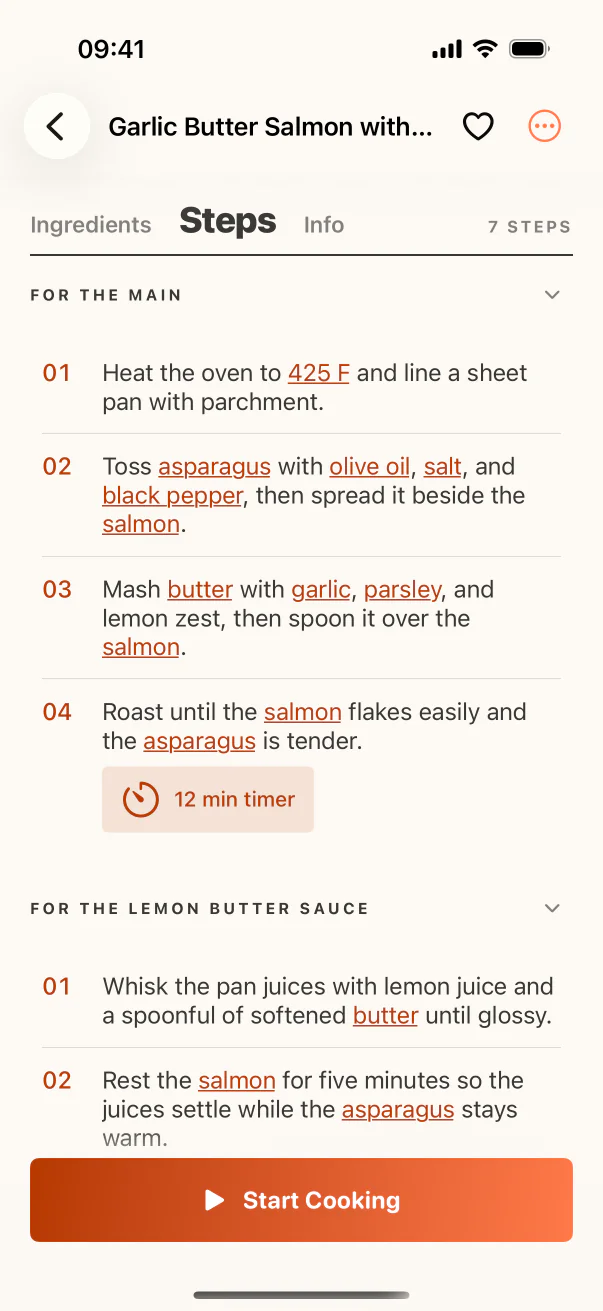
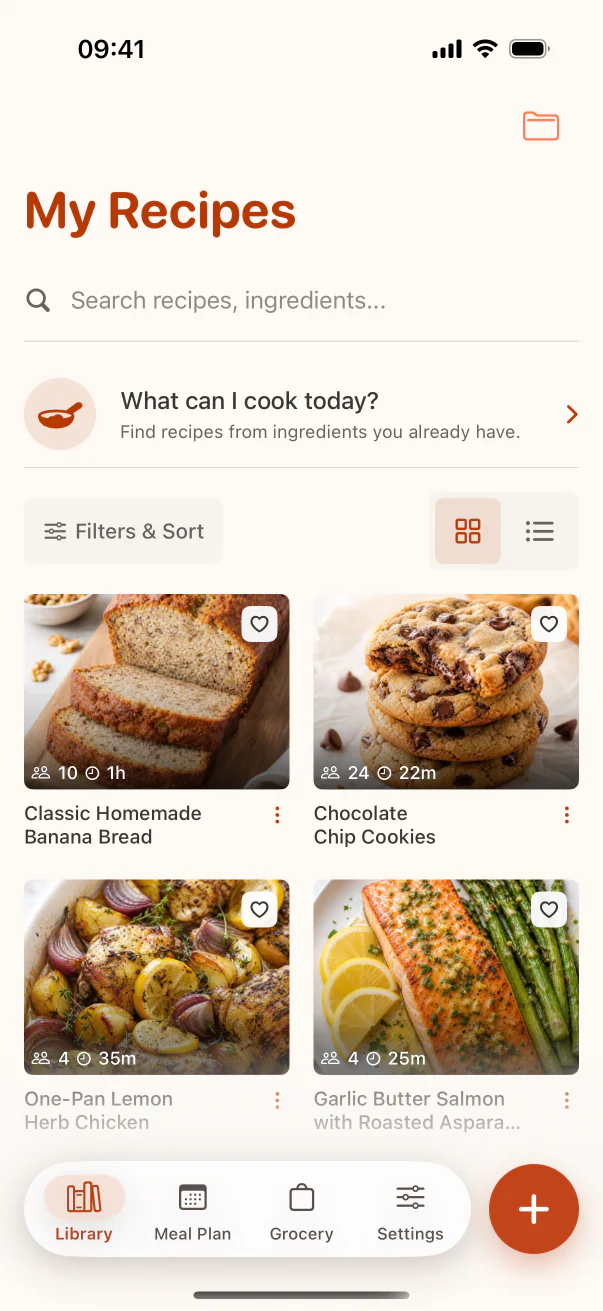
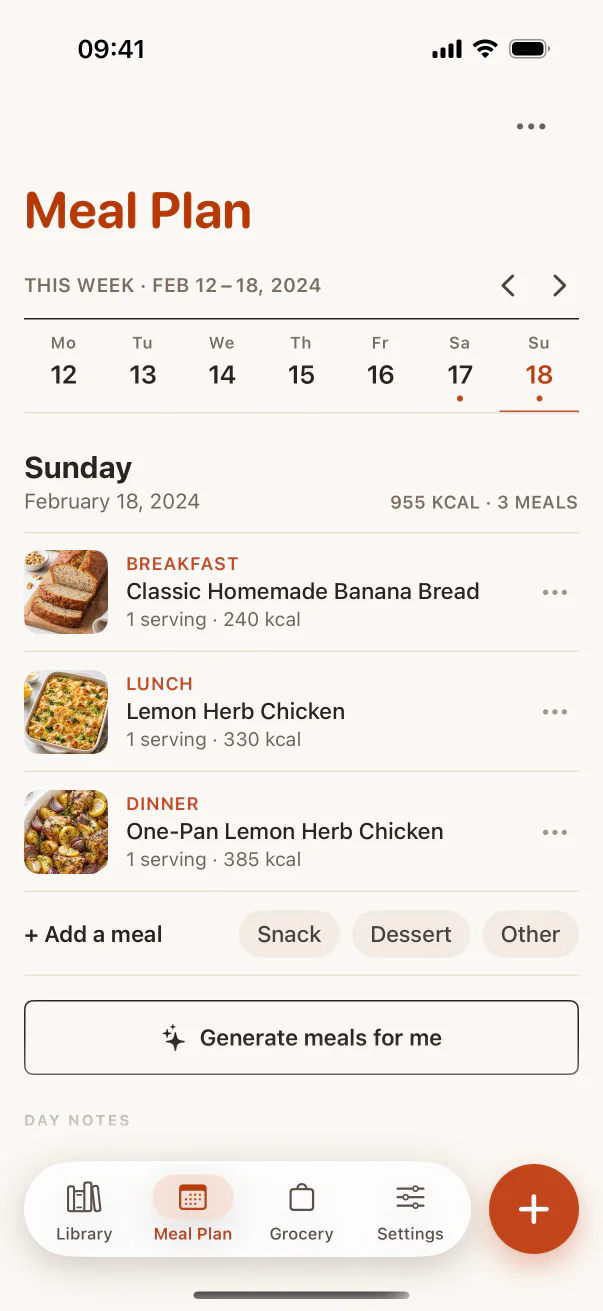
CookClip combines supported social links with websites, photos, screenshots, pasted text, and manual recipes in an iPhone and iPad library. It adds collections, tags, ingredient matching, meal planning, groceries, and optional subscription or Lifetime Pro offers.
ReciMe puts social platforms and creators at the center, with cookbooks, meal planning, grocery lists, and a subscription-based Plus tier for expanded features.
Inside the app
See the workflow in CookClip
These are real CookClip screens. Swipe across on mobile, or compare all three on a larger screen.
Pestle and Mela for Apple-native cooking
Pestle emphasizes guided cooking, households, SharePlay, scaling, conversions, and Apple platform polish. Its site lists recurring and lifetime Pro choices.
Mela offers a restrained personal cookbook with iCloud, recipe feeds, scanning, Cook Mode, and integrations with Calendar and Reminders. Its full feature set uses a one-time unlock.
Recipe Keeper for broad device support
Recipe Keeper supports iPhone, iPad, Android, Windows, and Mac, and combines website and social import with photos, PDFs, handwritten recipe scanning, meal planning, shopping, and printable cookbooks. It is a practical alternative for mixed-device families.
AnyList and Plan to Eat for planning around a different center
AnyList starts with shared grocery lists and adds recipe storage, import, meal planning, and web access through its Complete subscription. Choose it when the household list is the habit everyone already uses.
Plan to Eat centers a calendar workflow: collect your own recipes, plan the week, and generate groceries. It is subscription-based and focused enough to suit committed meal planners more than casual recipe collectors.
Practical checklist
Before migrating away from Paprika
- Write down the specific workflow you want to improve.
- Confirm the alternative supports every device you need.
- Import five representative recipes and inspect accuracy.
- Test export, backup, planning, and grocery behavior.
- Compare the full purchase model, not only the download price.
FAQ
Common questions
What is the best Paprika alternative for Instagram recipes?
CookClip and ReciMe are strong social-source candidates. Pestle and Mela also document social importing in Apple-focused workflows.
Which alternative works across the most device types?
Recipe Keeper supports iPhone, iPad, Android, Windows, and Mac. Confirm current compatibility on its official page before migrating.
Which alternatives offer a one-time purchase?
CookClip may show Lifetime Pro, Pestle lists a lifetime option, and Mela uses a one-time unlock. Purchase availability and pricing can change.
Should I leave Paprika if it already works?
Not necessarily. A migration is worthwhile only when another app materially improves the sources, devices, collaboration, or planning workflow you use most.
Sources checked
Official product references
Features and purchase options can change. These official pages were checked on July 14, 2026.
Try the workflow
Choose the recipe system that fits your habits
CookClip is free to start, with optional Pro subscription plans and a Lifetime one-time purchase when that option is available in the app.