
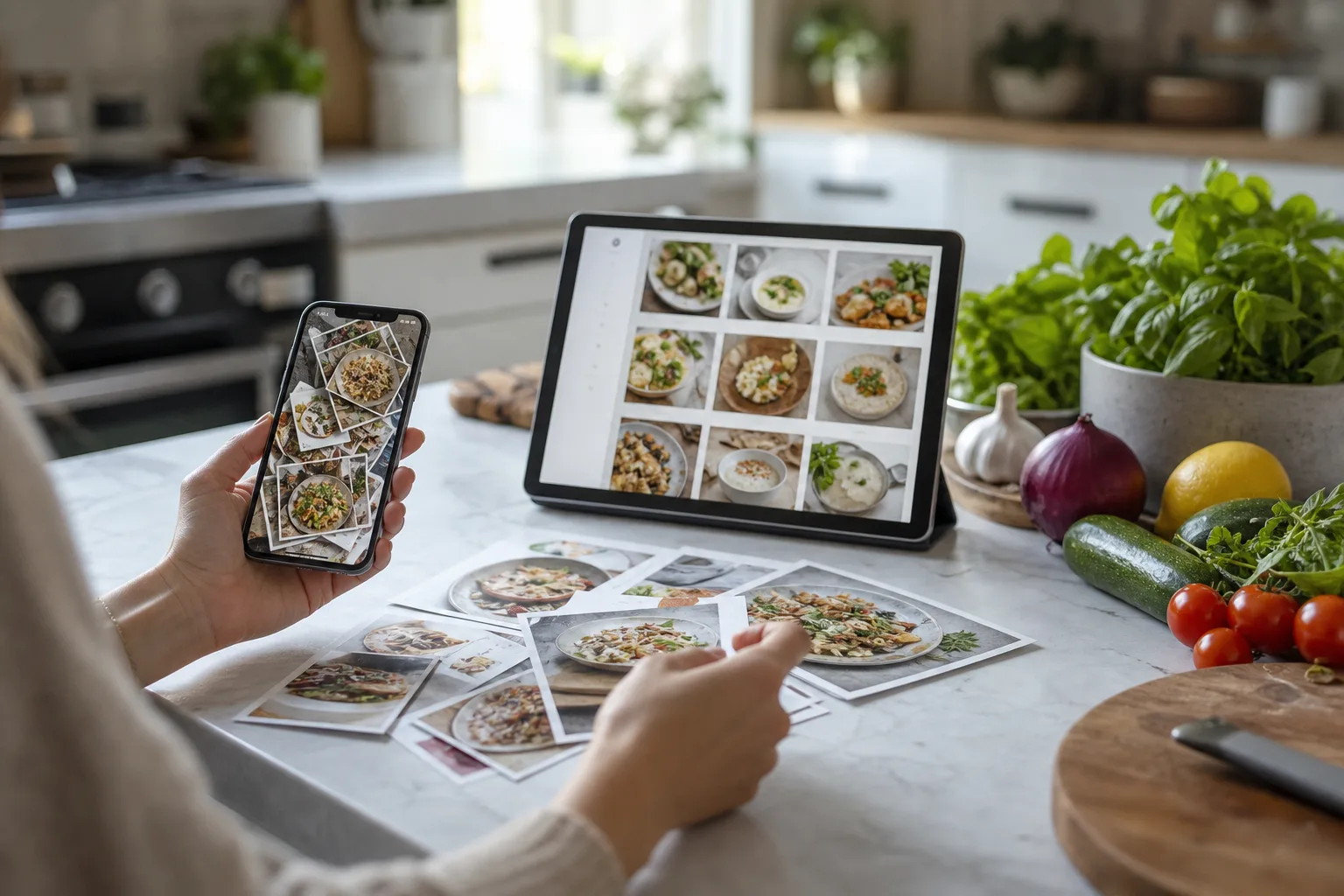
Quick answer
Use both, but give each one a different job
Keep Instagram Saved for lightweight inspiration and creator discovery. Move recipes you genuinely intend to cook into a recipe organizer so the ingredients, steps, source, tags, meal plan, and grocery workflow are available outside the feed.
Instagram wins at discovery
The feed makes it easy to encounter new creators, cuisines, techniques, and visual ideas. Saving a Reel takes one tap, preserves the original comments and demonstration, and asks for no cleanup in the moment.
That low friction is valuable. The problem starts when a save is expected to become long-term recipe storage.
A recipe organizer wins at retrieval
A social save remains organized around the post. A recipe organizer can store a descriptive title, editable ingredients, steps, timing, servings, source, collections, tags, and notes. You can search for chicken, freezer-friendly, or 30-minute even when the original caption used a vague title.
This matters after the novelty fades. The goal is to find the recipe on a Tuesday afternoon, not remember which creator posted it three months ago.
Inside the app
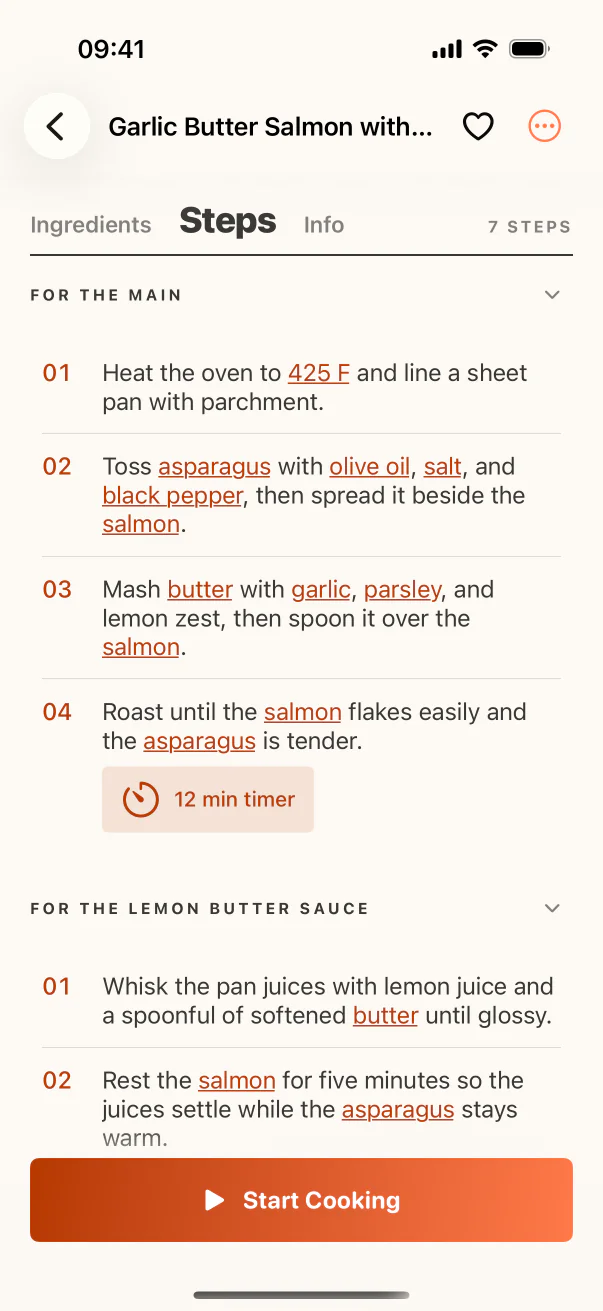
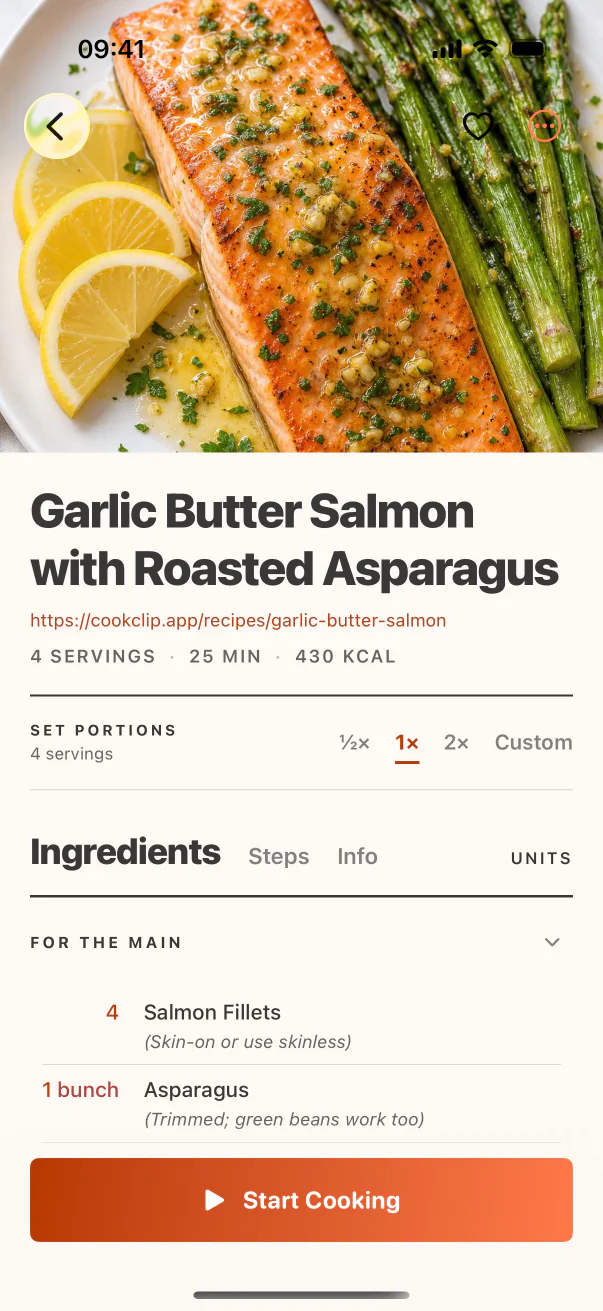
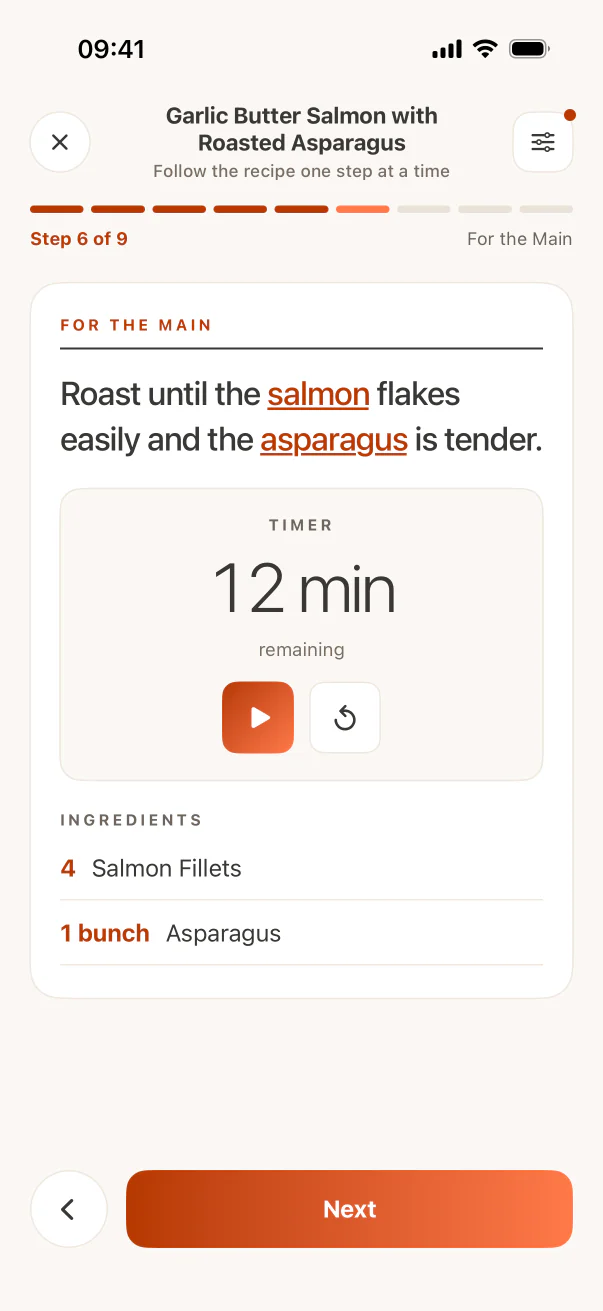
See the workflow in CookClip
These are real CookClip screens. Swipe across on mobile, or compare all three on a larger screen.
Structured recipes can participate in dinner
Ingredients inside a recipe app can move into a grocery list, servings can be adjusted, and the recipe can sit on a meal plan. A Saved post still requires you to replay, pause, copy, and reconstruct the information each time.
For recipes you only admire, that extra work is unnecessary. For recipes you plan to cook more than once, structure pays back quickly.
The original post is still useful
Do not strip away attribution or technique. Keep the Instagram URL and creator name in the recipe. Return to the video for shaping, texture, or plating cues that written steps cannot fully communicate.
A structured recipe and its source complement each other: one is efficient for planning and cooking, the other preserves the creator’s full presentation.
A simple decision rule
If you would be disappointed to lose the recipe, if it needs ingredients added to a list, or if you expect to cook it more than once, move it into a recipe organizer. If it is only a passing idea, leave it in Saved and avoid filling your cookbook with aspirational clutter.
Practical checklist
Move an Instagram recipe when…
- The ingredients and steps are complete enough to cook.
- You want to search for it by ingredient or tag.
- You plan to add it to a meal plan or grocery list.
- It is a family favorite or something you expect to repeat.
- You would care if the original post became unavailable.
FAQ
Common questions
Should I move every Instagram recipe into an app?
No. Move only recipes you genuinely intend to cook, repeat, plan, or preserve. Let Instagram continue holding low-commitment inspiration.
Will a recipe organizer keep the original Reel?
It should preserve the source link. CookClip stores the structured recipe and source; it is not a social video downloader.
Can Instagram collections replace recipe tags?
Collections can group posts, but they do not make ingredients editable or searchable and cannot power serving, planning, or grocery workflows.
What if the Reel has no written recipe?
Check the caption, transcript, comments, and creator link. If important details are absent, keep it as inspiration or find a complete written version.
Try the workflow
Save the useful version, not another mystery link
CookClip can turn links, shared sources, pasted text, photos, and screenshots into editable recipe drafts you can review and keep.